
Refunding event tickets
Calendar module users can easily process full or partial refunds for paid tickets, perhaps if the signup requests a cancellation. Depending on your refund policy, you can also cancel a signup without processing a refund.
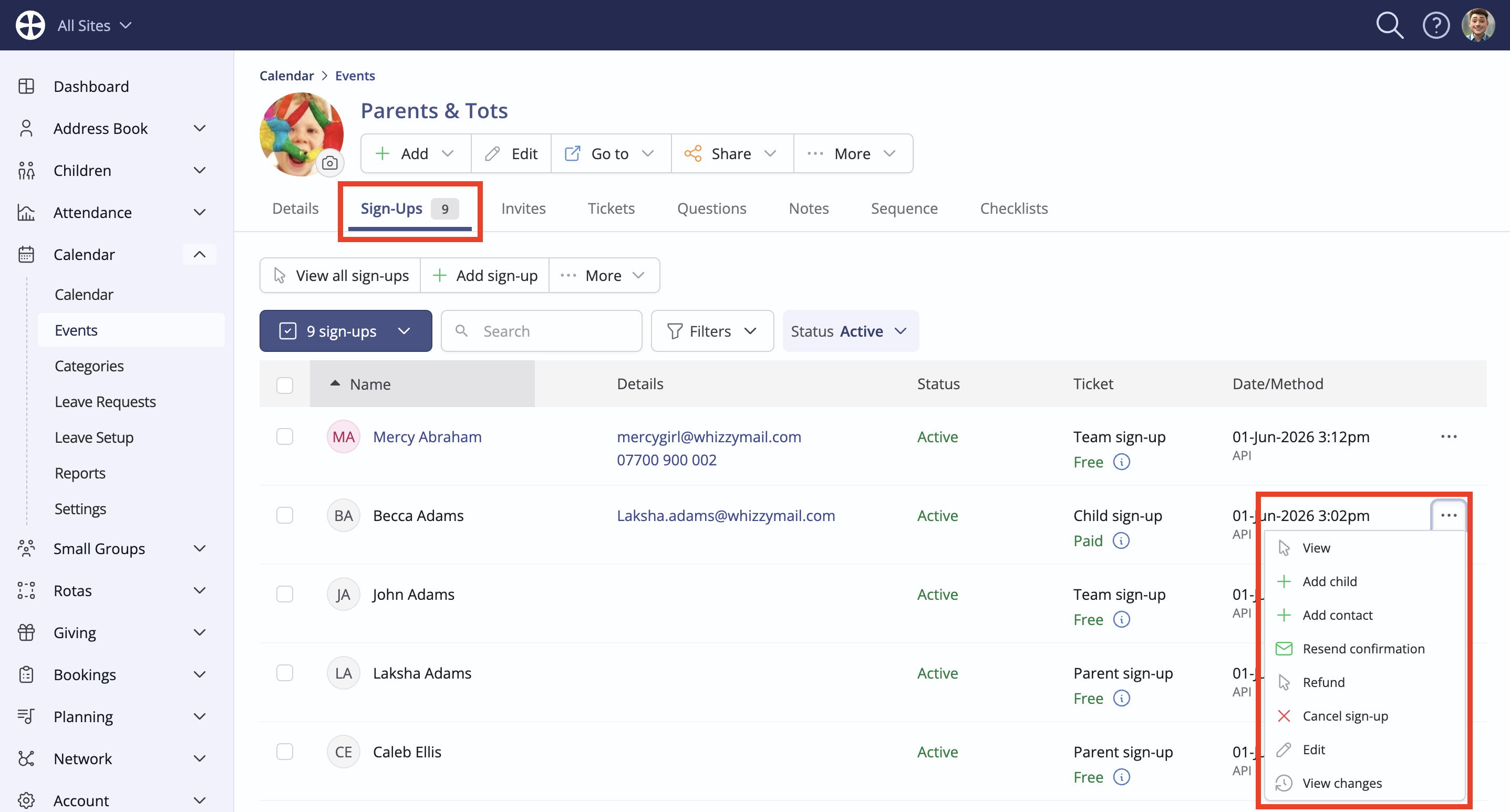
To issue a refund, head to the event's View page in the Calendar module and click on the Sign-Ups tab. From here, locate the relevant person's signup in the list and select Refund from the signup Actions. You'll only see this action for signups who paid by card via Stripe on the event page.
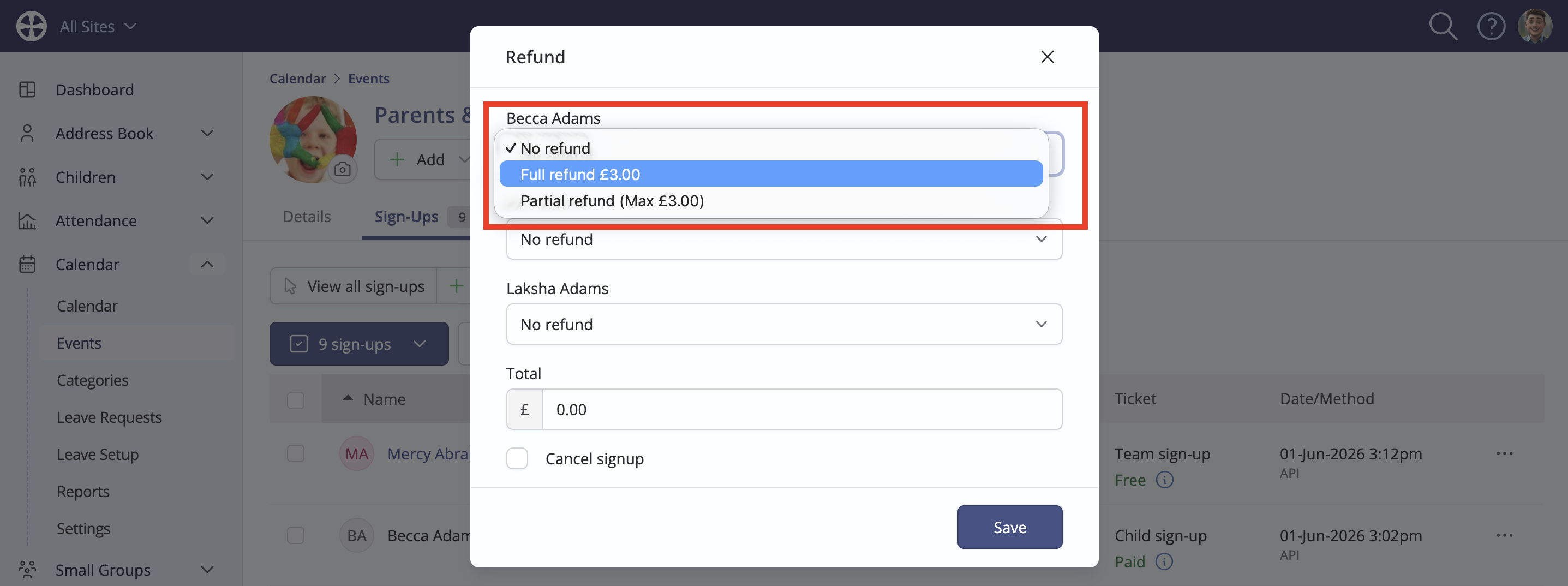
The Refund pop-up opens with a choice of issuing a Full refund or a Partial refund back to the original payment card used to sign up. Where multiple people were signed up in the same transaction, you can optionally process a refund for their signup, too.
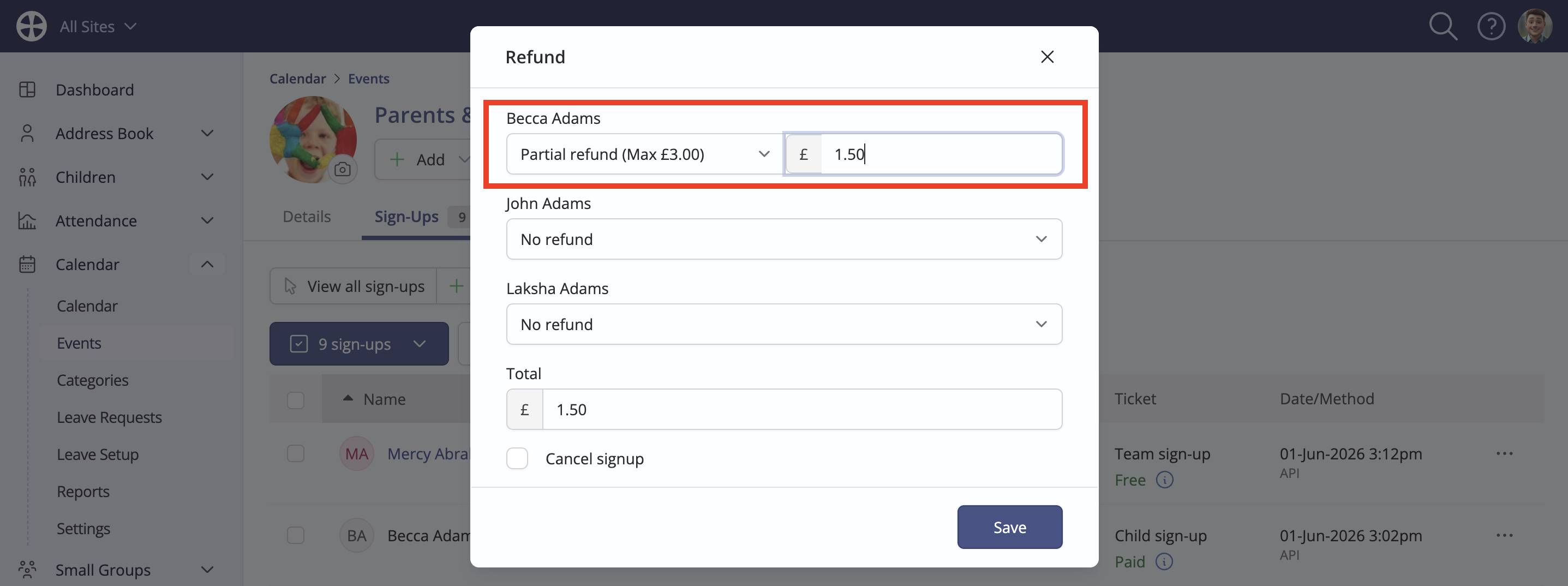
For a Partial refund, enter the amount to refund, which cannot exceed the original amount paid.
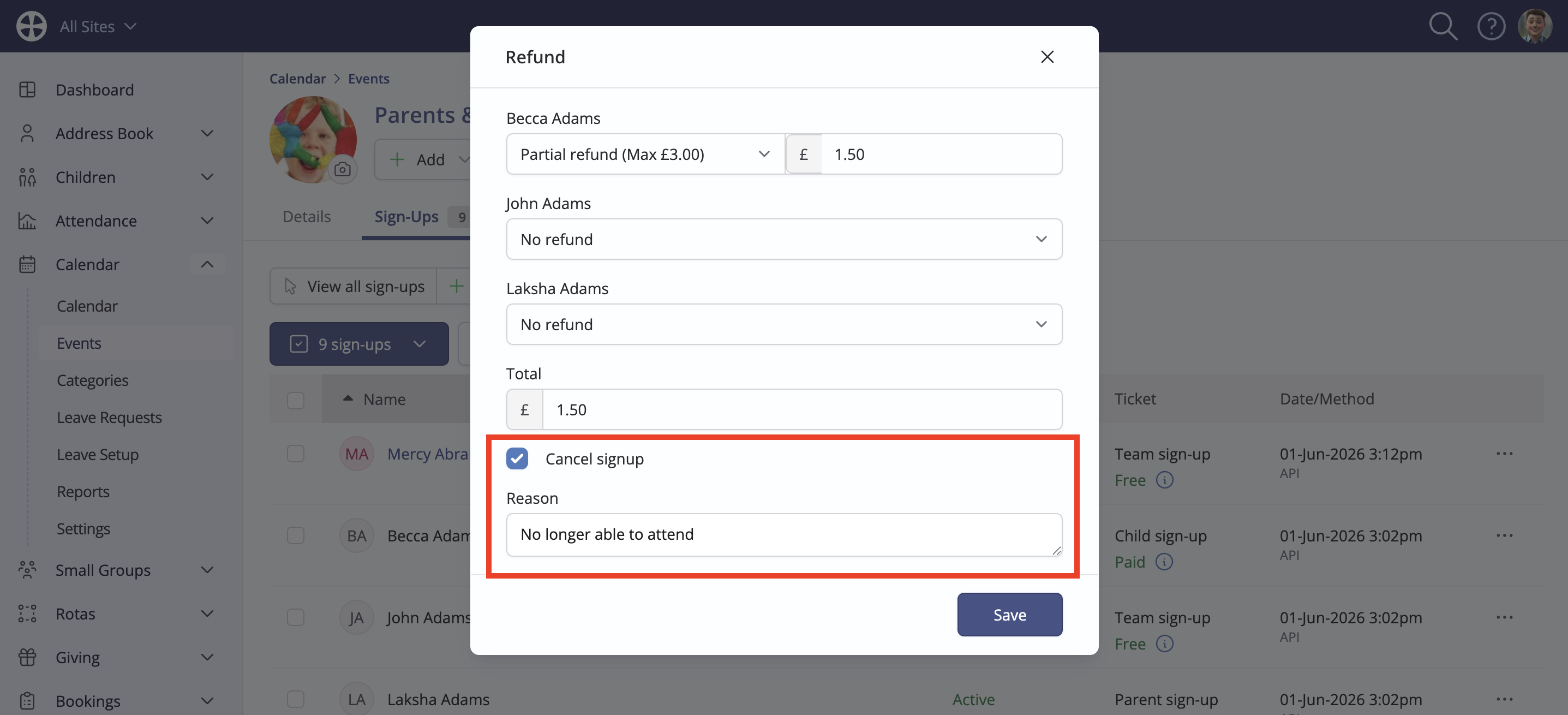
Note the option to Cancel signup with an option Reason field, which, when processed, will update the status of each refunded signup from Active to Cancelled. You can process a refund without cancelling the signup, and you can cancel a signup without making a refund. Click Save to complete the process. Stripe advises that it can take 5-10 working days for the refund to show on the cardholder's statement. You can monitor the status of a refund in your Stripe account dashboard.
Refund confirmation email
No ChurchSuite refund notification is sent to the signup/cardholder when processing a refund - full or partial; however, Stripe sends a card refund confirmation email.
The refund is processed by Stripe back to the original payment card used and will be included in the Stripe Transfers report accordingly. There are no additional transaction fees incurred for issuing a refund. While the Stripe element of the original transaction fee is not refunded, the 1% ChurchSuite application fee is fully refunded.
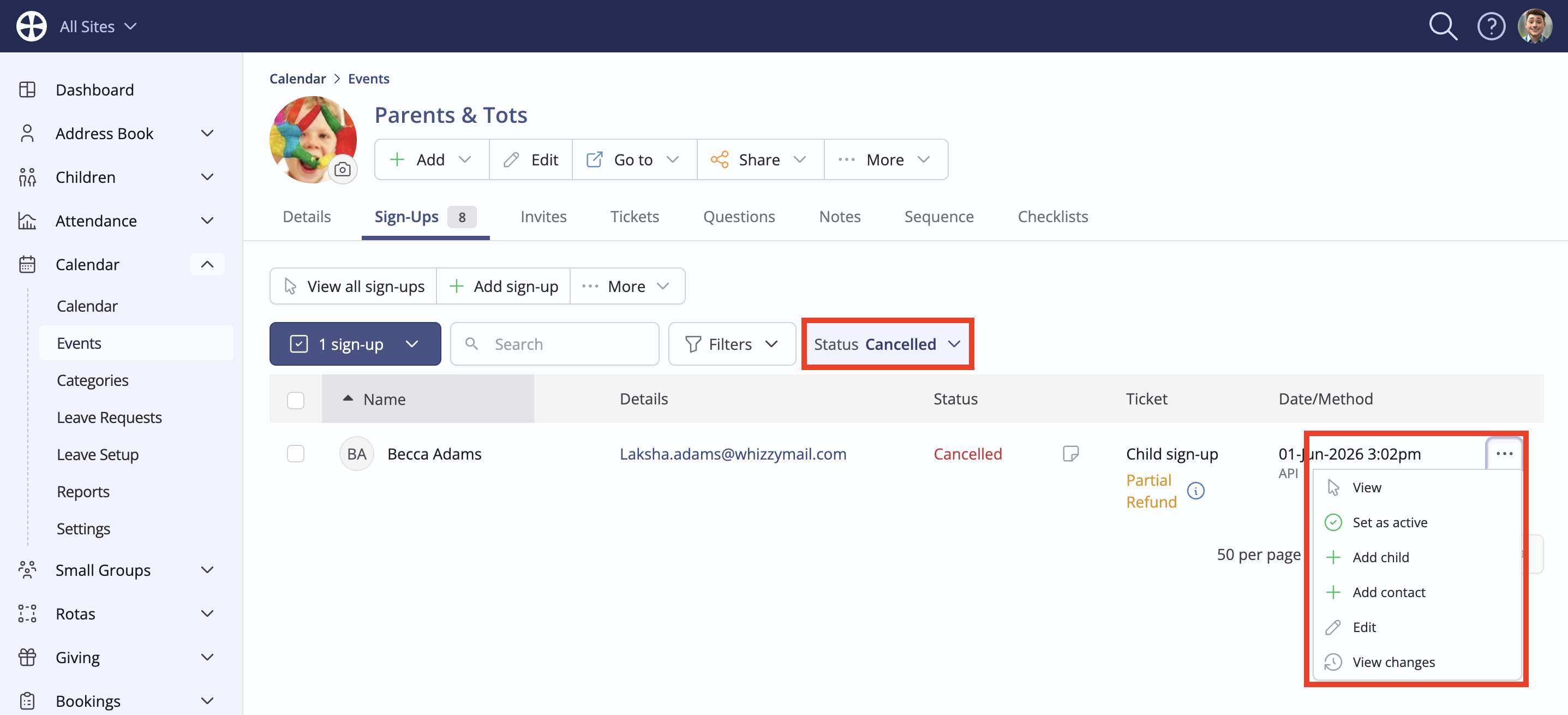
The Ticket payment status updates in the Sign Ups list - use the status filter to switch between viewing Active or Cancelled signups. If necessary, a cancelled signup can be optionally set as active again, but with no change to the refunded payment status.
Please note: Partial refunds do not show in the Stripe Transfers Report. This is an unavoidable limitation of the Stripe API that only permits the retrieval of full refund transactions. However, you can view partial refunds in your Stripe account transactions.