
Developer API
In this article
Introduction
Which API do I need?
What is API v2?
What is Embed API?
FAQs for non-developers
Adding a dedicated API v2 user
Adding OAuth Apps
API v1
Introduction
We provide a developer API for customers who wish to build custom applications and website integrations with their ChurchSuite modules. Our API documentation outlines the available endpoints.
Since we're always building new features and functionality, our API documentation is always in flux. We are unable to warrant that changes we may make from time to time will not impact or break an API application. Periodic ongoing updates to an application should be expected.
Which API do I need?
Which API you decide to use will depend on the context you wish to use it in. Consider the following:
You wish to work with events, small groups or booked resources - perhaps to show on your website or to control your heating based on when a room has been booked.
For these examples, Embed API would be the option to choose, as it is controllable in-platform and straight forward to use.
You wish to gather the responses to a particular form into an external document or show a service plan on a dedicated web page or create a report based upon the data in your metricsets.
For these examples, Core API v2 will give you what you need, as it has endpoints for all modules except Rotas. (This library of endpoints is continually being extended so do let us know if a particular endpoint would be of interest.)
You wish to do something that isn't possible with our Core API v2
For these examples, our legacy API v1 may have endpoints for what you need, until the v2 API covers that functionality.
We also provide an OAuth2 server, to access API v2 as a User or the v1 My API as a specific Address Book contact with limited access.
If you are unsure what you need, get in touch with the support team, describing your context, and they will be able to offer advice.
What is API v2?
Core API v2 is private, authorised through an OAuth2 workflow, giving access to all data within your ChurchSuite account, including personal data. Access to the Core API is controlled either via a user profile that you will add to your account or by a user logging into your application via the OAuth apps you create in the account profile. If you wish to access data other than events, groups and bookings, you will need to use this Core API. It currently supports 'read' endpoints for all ChurchSuite modules except Rotas, with 'write' endpoint support being added incrementally to each module over time.
API v2 employs in-platform API management: Administrators can enable/disable API access for any user profile and, once enabled, an API user can self-generate and manage the client secrets used by their API applications.
We provide an OAuth2 server to authorise API v2 access on behalf of a user, which can also be used to authenticate users logging into your own applications. Essentially, the user will use their ChurchSuite credentials to log into the OAuth applications you create.
What is Embed API?
API v2 supports unrestricted access to data using public-facing Embed JSON feeds. This API does not expose personal data and is publicly accessible to those with the relevant URL. Driven by Embed Configurations managed within your ChurchSuite account module settings, this API allows non-technical users to manage what account data flows to the website by making filtering changes within the embed configuration in their ChurchSuite account without needing to embed new HTML. For example, if you want to show Calendar module Events on your website, we recommend using the Embed API or one of our pre-built iframes - see our Kings Hope Church demo website for examples.
FAQs for non-developers
You've been tasked with finding out if there's a ChurchSuite Developer API and your first thoughts are, "What's API?" and, "Will our ChurchSuite data be secure if we use it?" These are great questions and you're absolutely right to ask them. In this section, we'll do our best to close that knowledge gap.
What is an API?
Your ChurchSuite modules are designed to help churches and organisations manage a wide range of ministry areas. However, there may be times when you want to do more with your data than the reporting and functionality currently available in the front-end modules. An API (Application Programming Interface) is a commonly used mechanism that allows developers to build custom applications and website integrations.
Do we need to use the ChurchSuite API?
Possibly. We've worked hard to provide intuitive, out-of-the-box solutions within your ChurchSuite modules but where your particular needs go beyond what's in the box, our API may offer the versatility that you need. The ChurchSuite Support Team can help you choose the API version best suited to your application.
Will our ChurchSuite data remain secure?
Yes. Instead of using a web browser or mobile app to access the data, it will be accessed securely by code rather than by a person. The same security protections for data access are implemented on the API as they are in the web browser. Bear in mind, however, that once extracted, the security of the data will be dependent upon the security of your application or storage system.
Are there any data protection or privacy implications?
Yes. If you are changing how you process personal data, you may wish to consult your Data Protection Officer or the ICO before integrating an external application with your ChurchSuite account.
Could we break or lose data if we use the API?
Yes. In the same way that a user with access via a web browser or mobile app can change and delete data - and potentially make a human error - an API application has the same access through code, which is equally subject to human error. You should only use the API if you have a competent developer who is familiar with, and experienced in, working with, APIs.
What is an API secret?
We don't let just anybody access your ChurchSuite data so, to protect it, your API application will need a valid username and password that gives it access to the modules containing the data you wish to share. As the name implies, an "API secret" is an additional piece of information known only to your ChurchSuite account and your API application. It allows data to be passed back and forth securely.
Adding a dedicated API v2 user
Only Administrators can enable and disable another user's API access. Navigate to the Users section of your Account and select the required user:
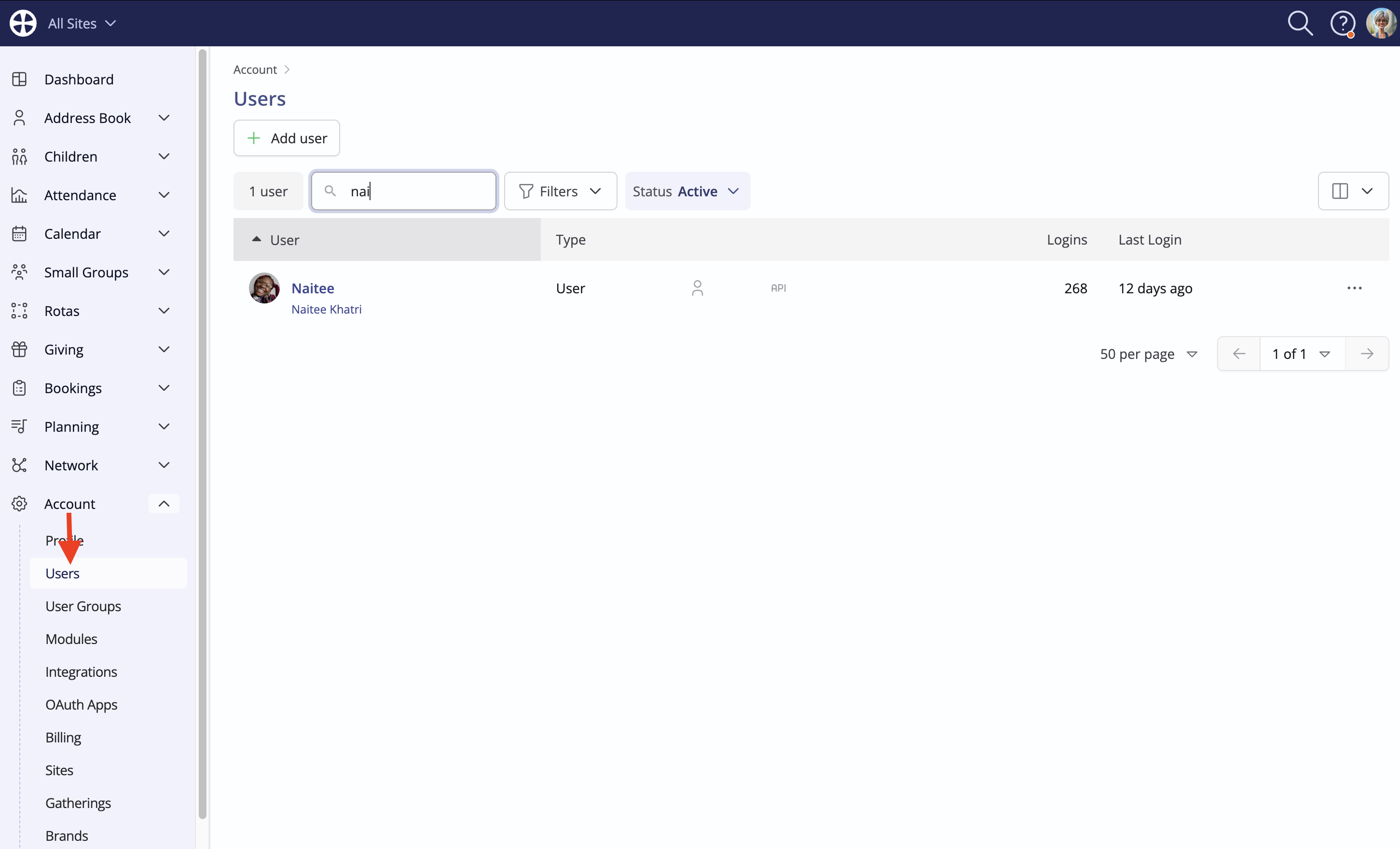
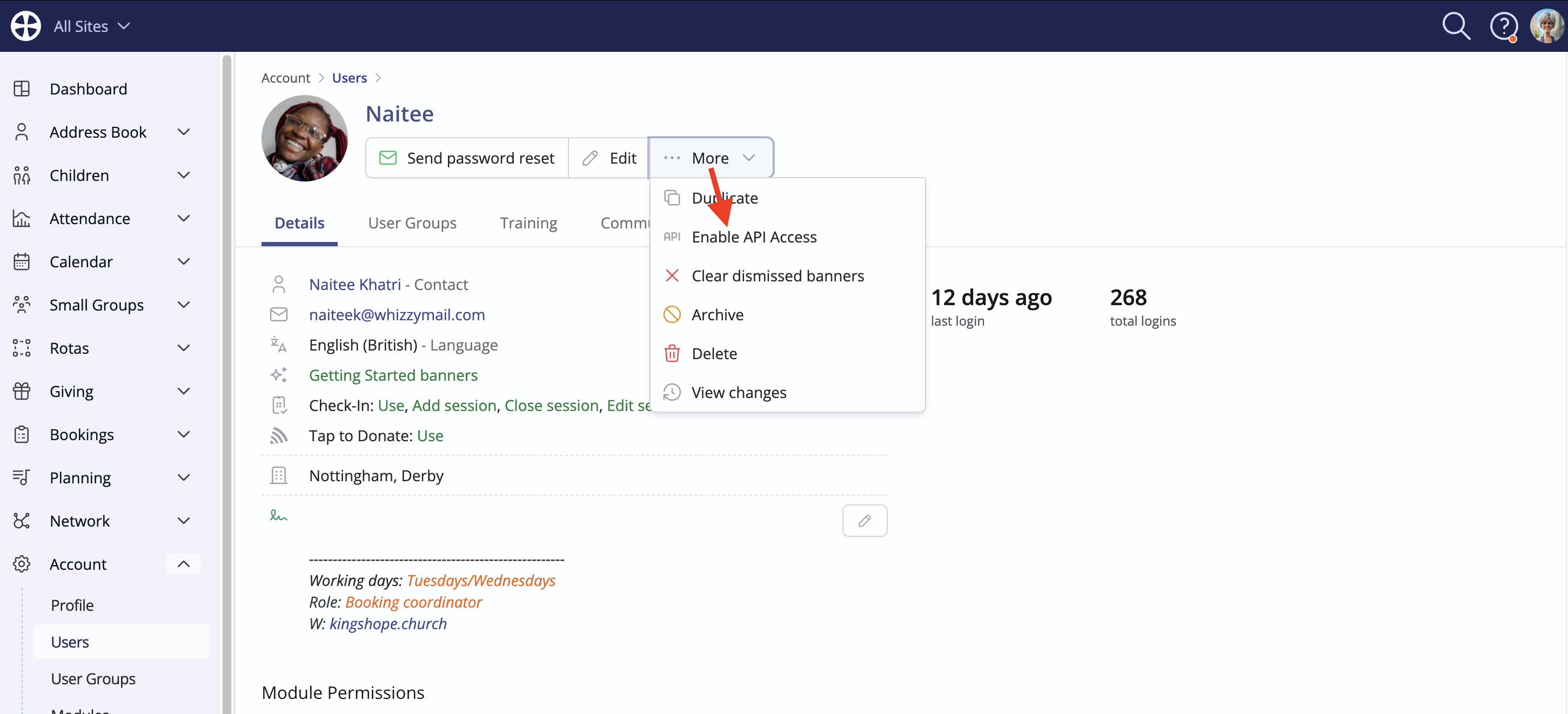
On the user's profile, select Enable API access, shown on the drop-down More actions:
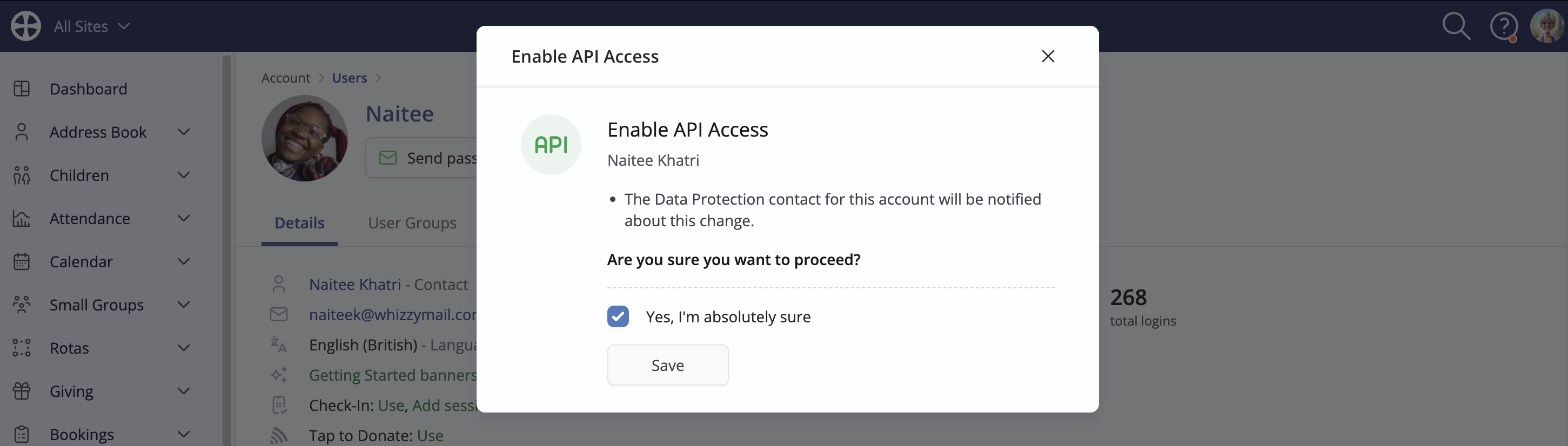
A confirmation message explains that a notification will be sent to the designated Data Protection Contact for your ChurchSuite account. See our related support for further information on Managing your account, billing and data protection contact.
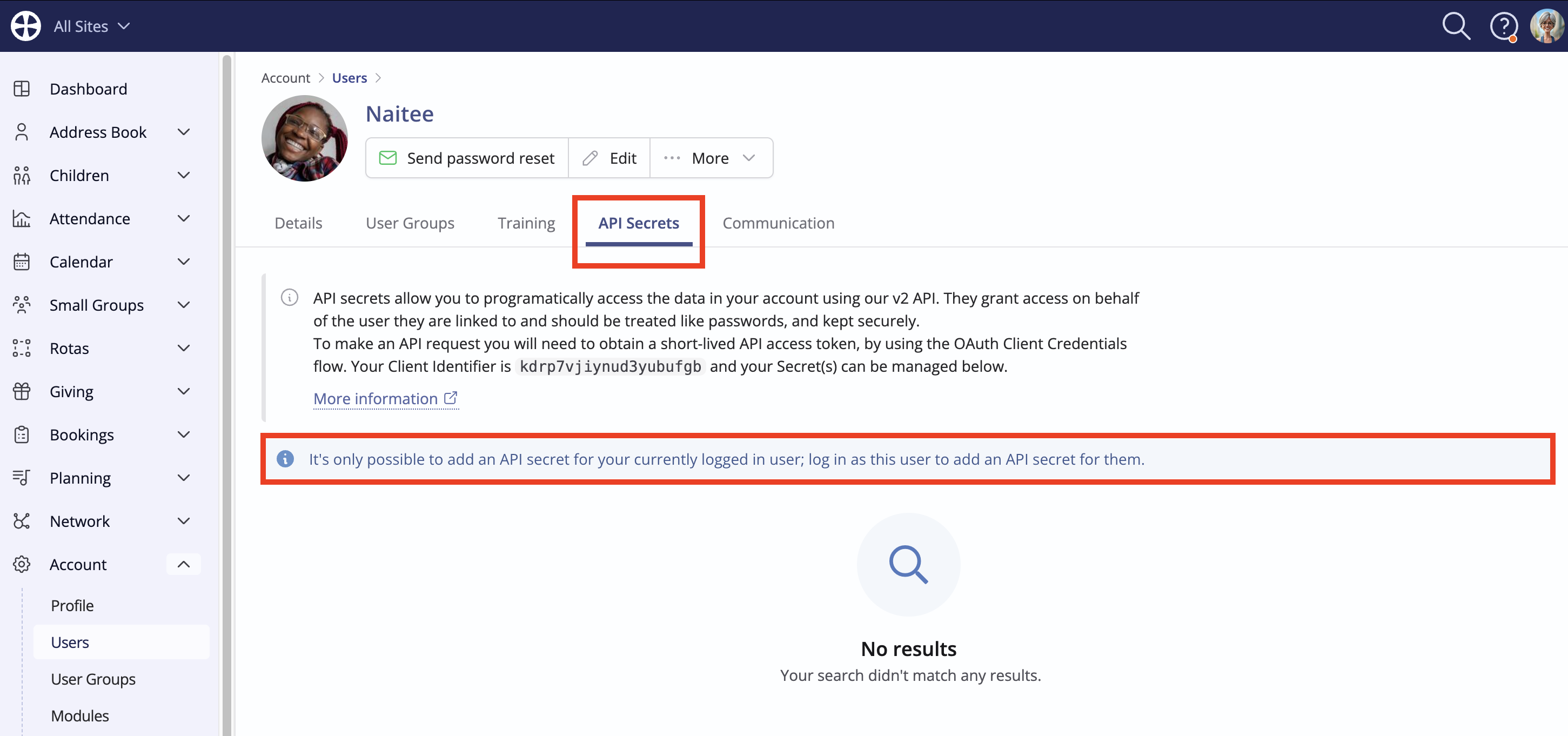
When API access is enabled for a User, an API Secrets tab is now shown on their profile. In-platform messaging highlights that only the user themselves can add secrets. It the Adminstrator adding the API access is not the user themselves, they will not be able to add any secrets at this point:
When the user logs in and views their profile, they will now have the option to click Add secret to generate the API credentials needed by the API application. Typically, users will self-manage the secrets for their API applications.
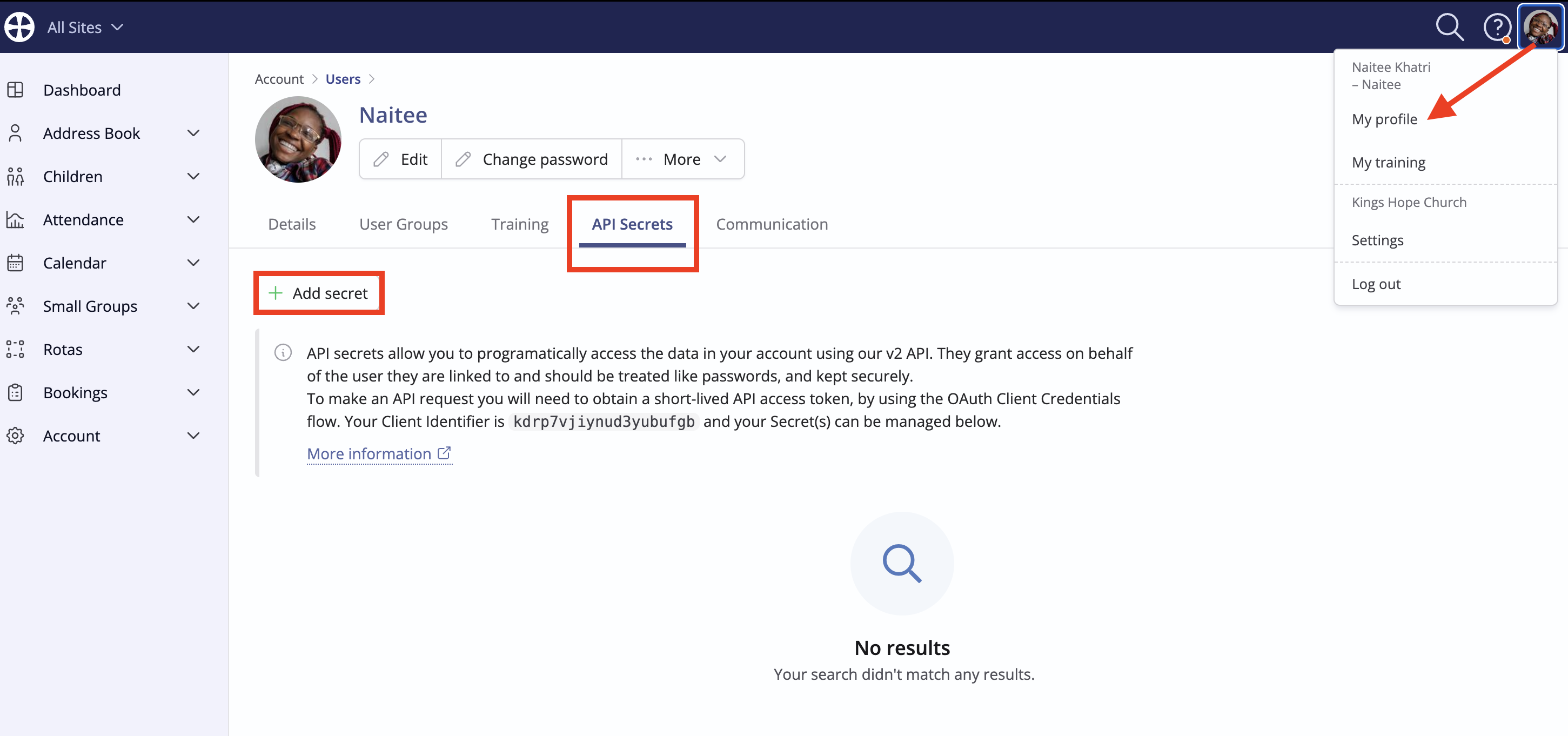
On the Add secret pop-up, enter a suitable Secret Name that identifies where the secret is used, such as "Website Member Area." For security, the logged-in user, Naitee, in the example below, must Confirm [their] Password to generate the API secret. Click Save to complete the process.
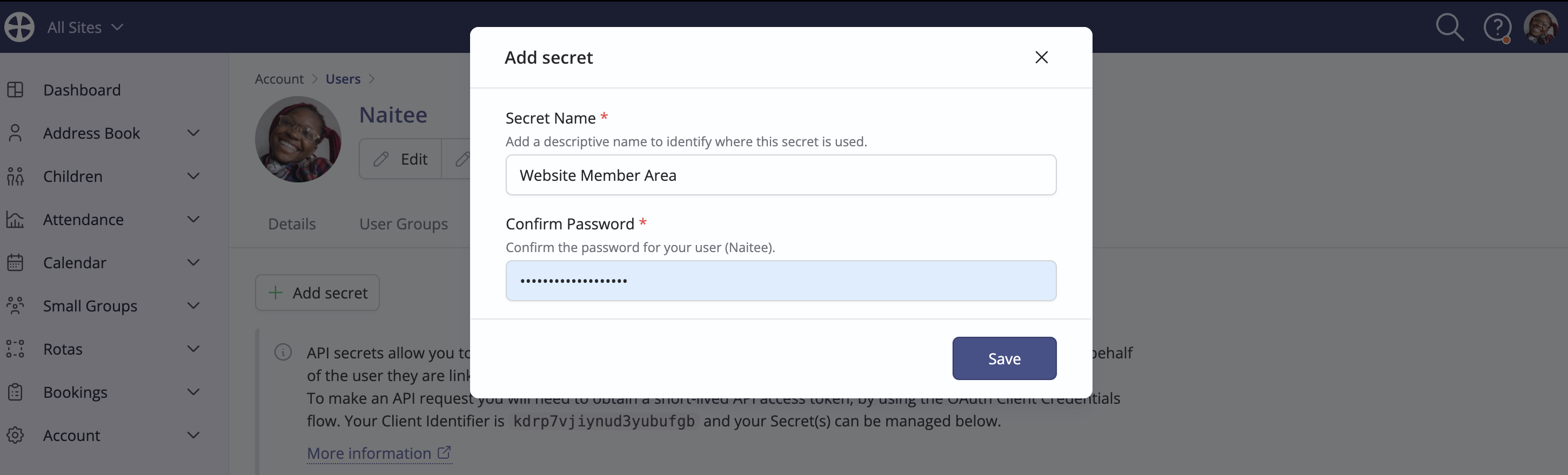
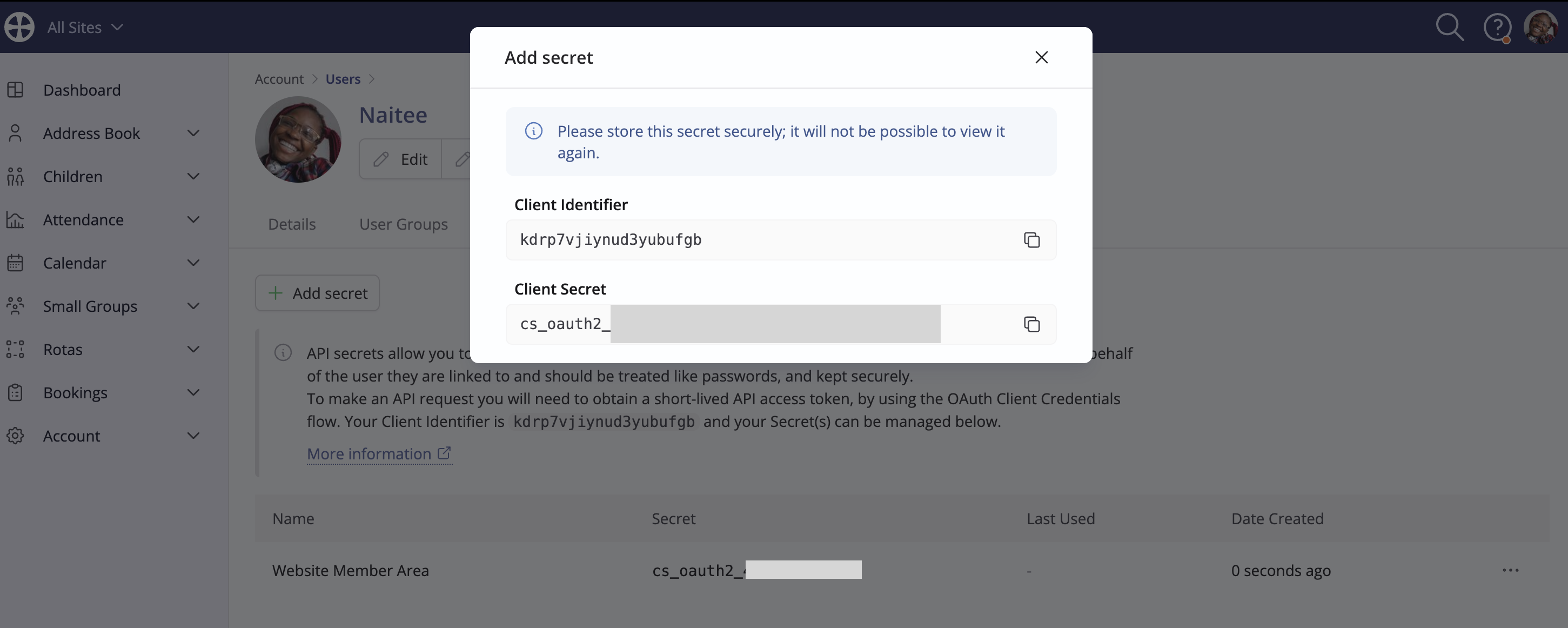
The API secret is generated and a pop-up shows the Client Identifier and Client Secret. These details are needed for your API application to authenticate and submit requests over the API. You must copy and save both pieces of information securely. The Client Secret is shown once only on this pop-up and, once the pop-up is closed, the Secret is no longer available to view. If you forget the Client Secret, you will need to delete it and generate a new one.
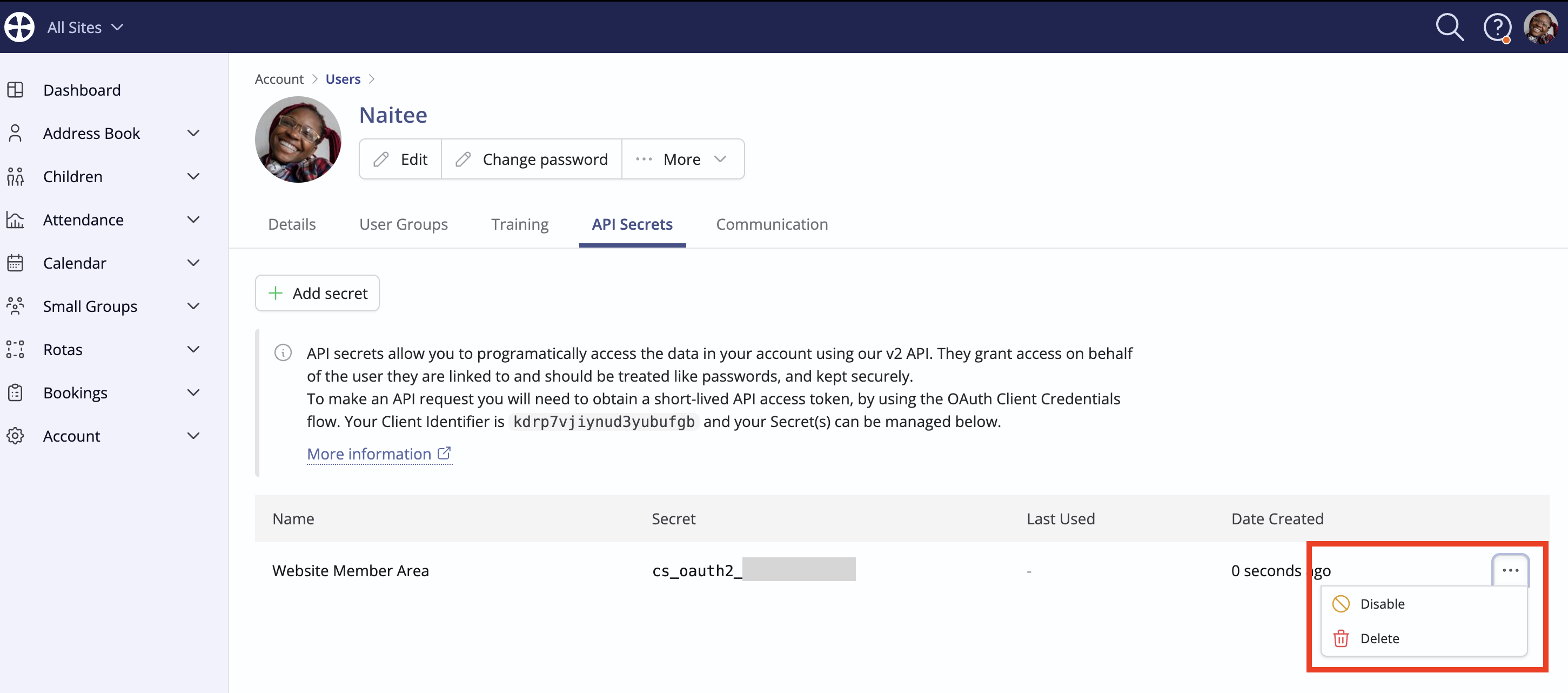
You can return to the API Secrets tab at any time to Add, Disable or Delete a secret. A maximum of two API Secrets per user are permitted. A disabled secret can be reactivated - ideal where you need to temporarily disable API requests for an API application and later reinstate access. A deleted secret will block further API requests using that secret - a deleted secret cannot be restored but a new secret could be added.
An Administrator user can Disable API Access at any time, should the need arise:
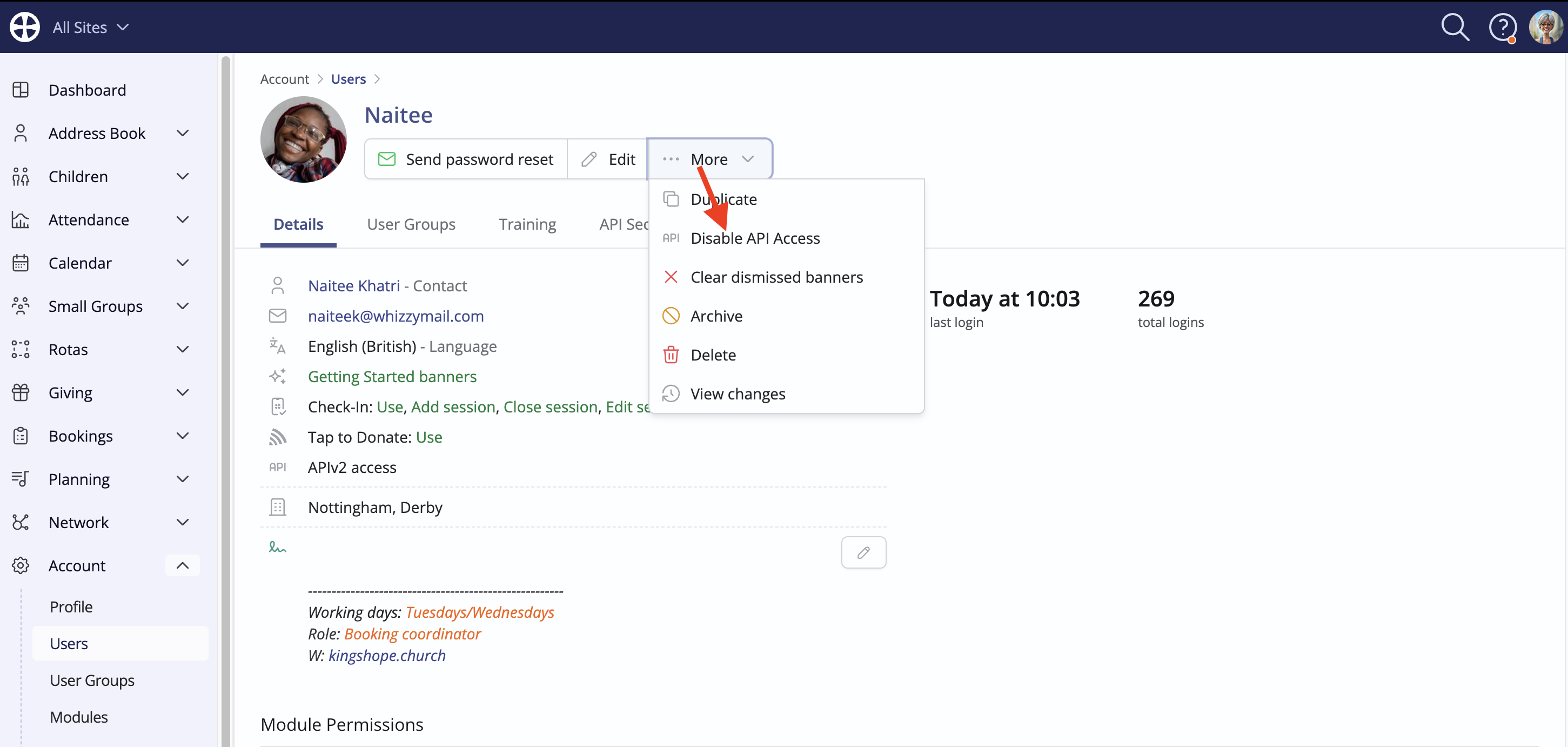
Disabling API Access is destructive and the consequences are shown in the delete confirmation pop-up. Where appropriate, disabled API Access can be later re-enabled.
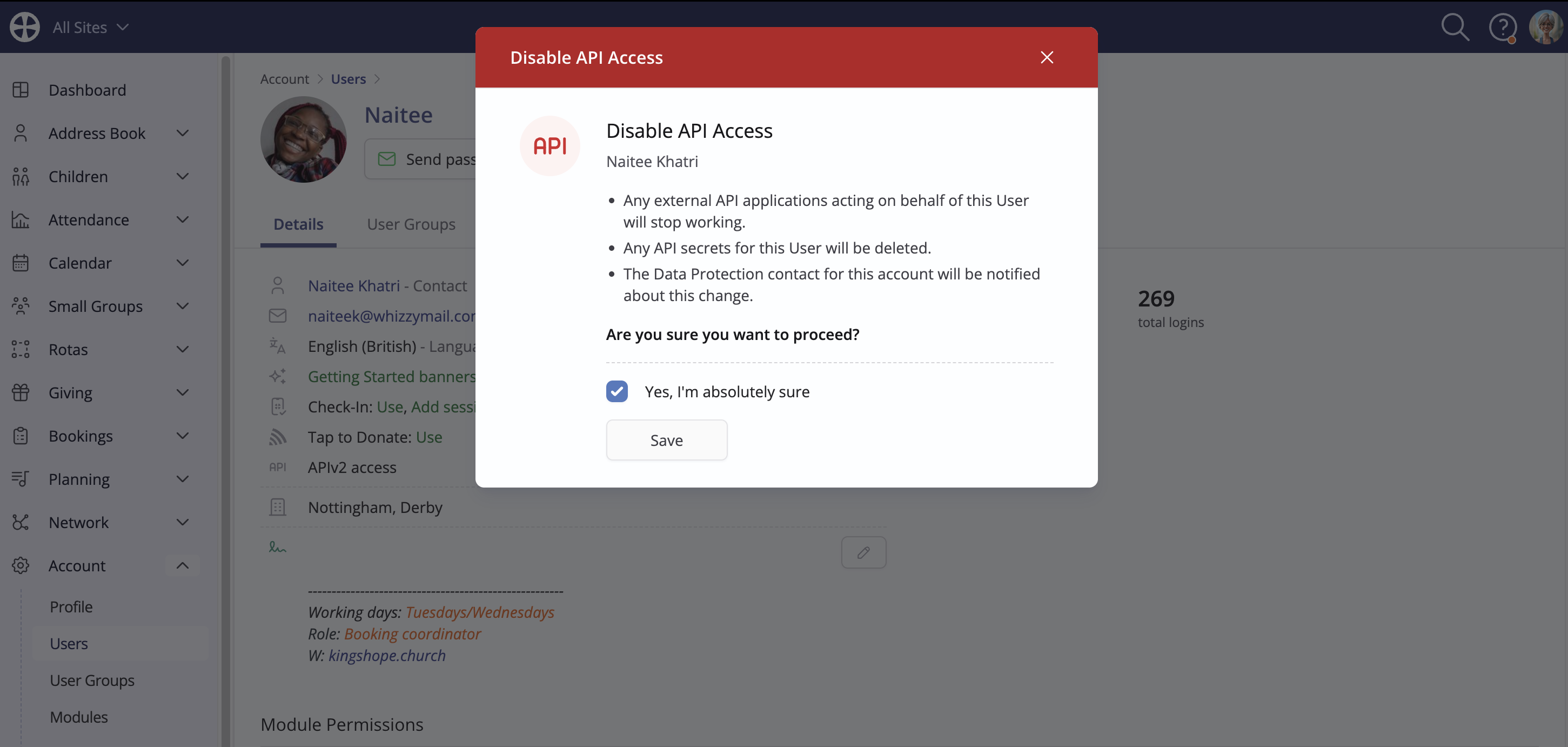
Finally, for Administrators, the Users section includes a helpful Filter option to filter the list of users with API access enabled; an icon and hover-over tooltip visually distinguishes those users with API access currently enabled:
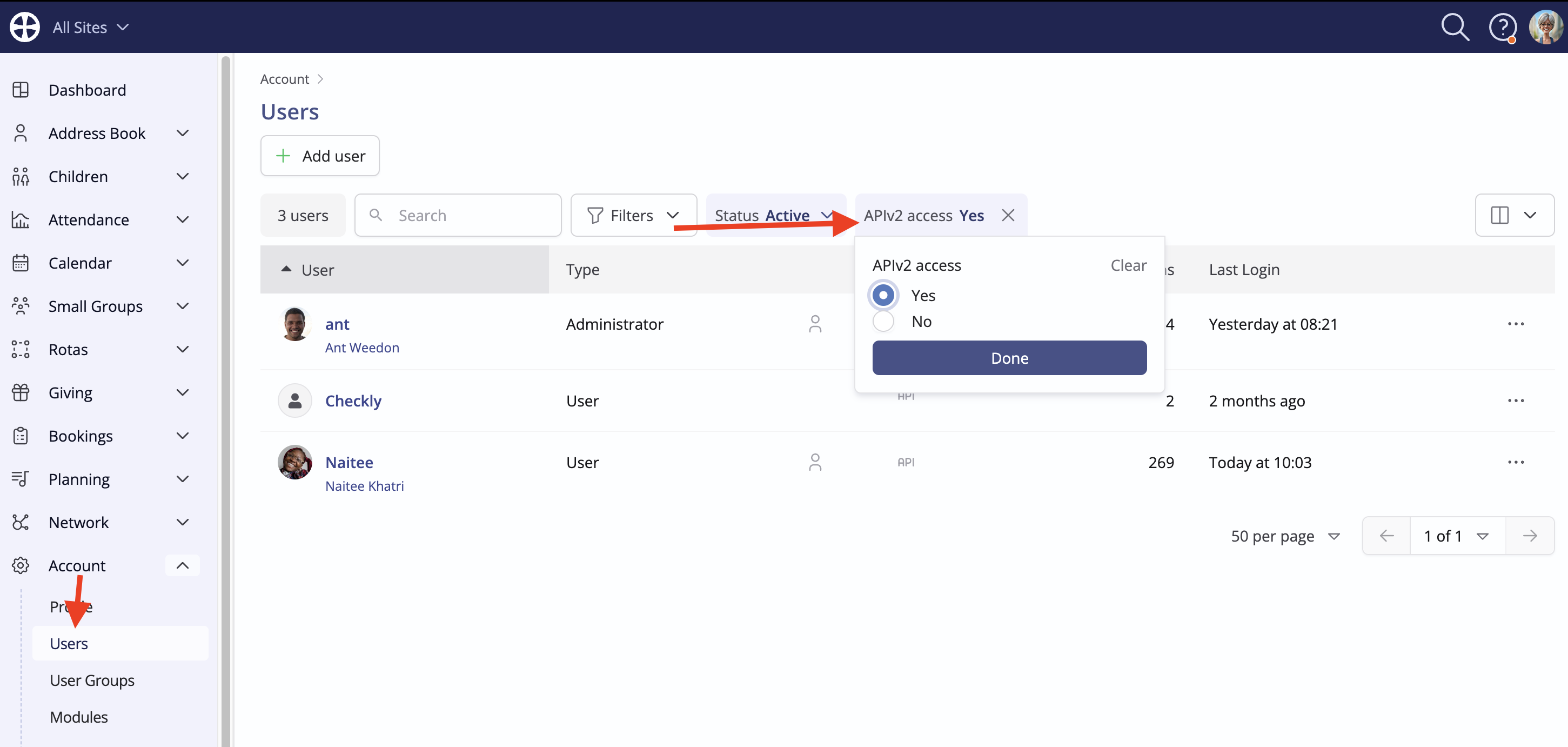
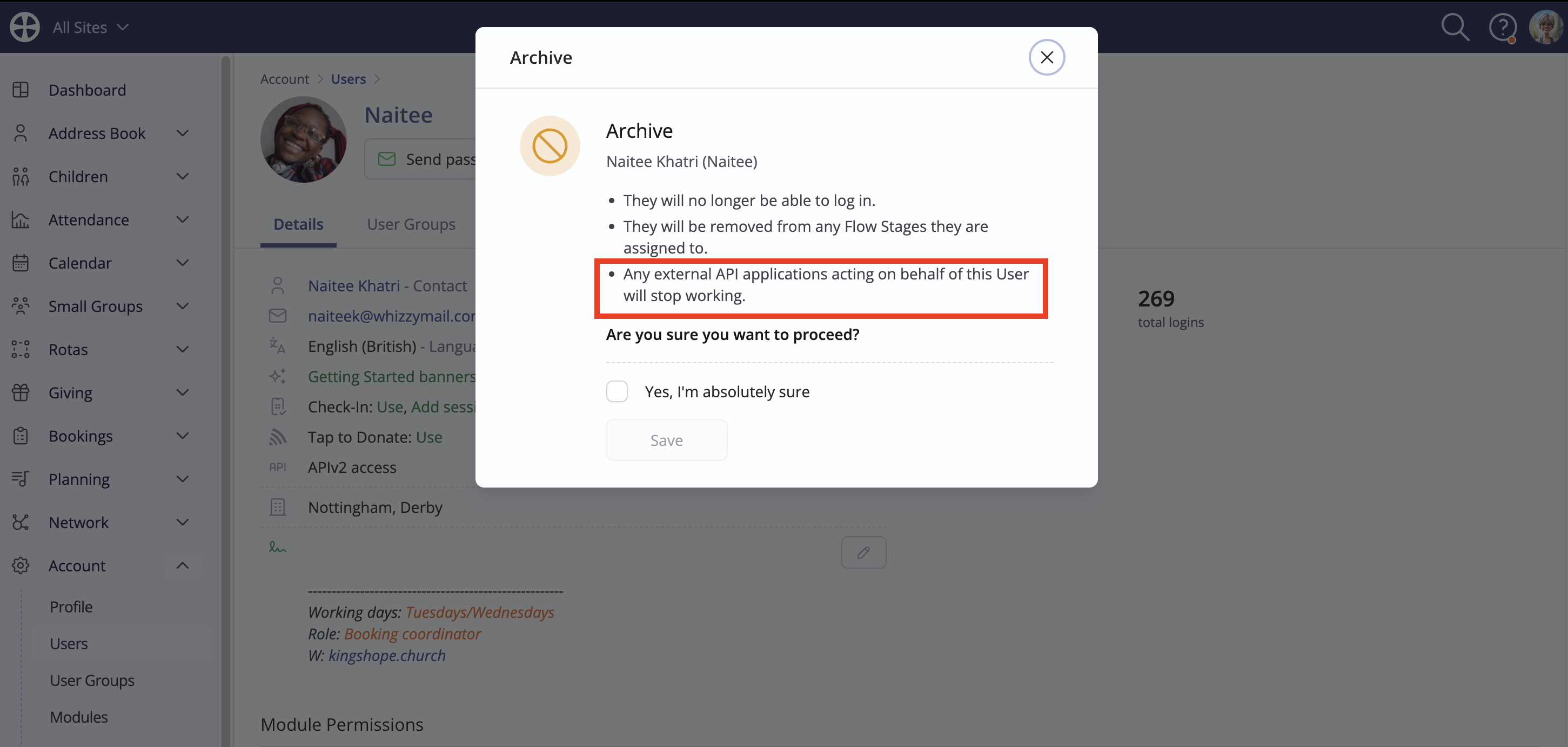
API access is blocked when a user profile is archived or deleted; their API credentials will cease to work and server requests from the API application will be rejected. An archived user profile can be set as active again and API access can then be re-enabled and new client secrets generated. A deleted user profile cannot be reinstated - the deletion is permanent - but a new user profile can be added.
Adding OAuth Apps
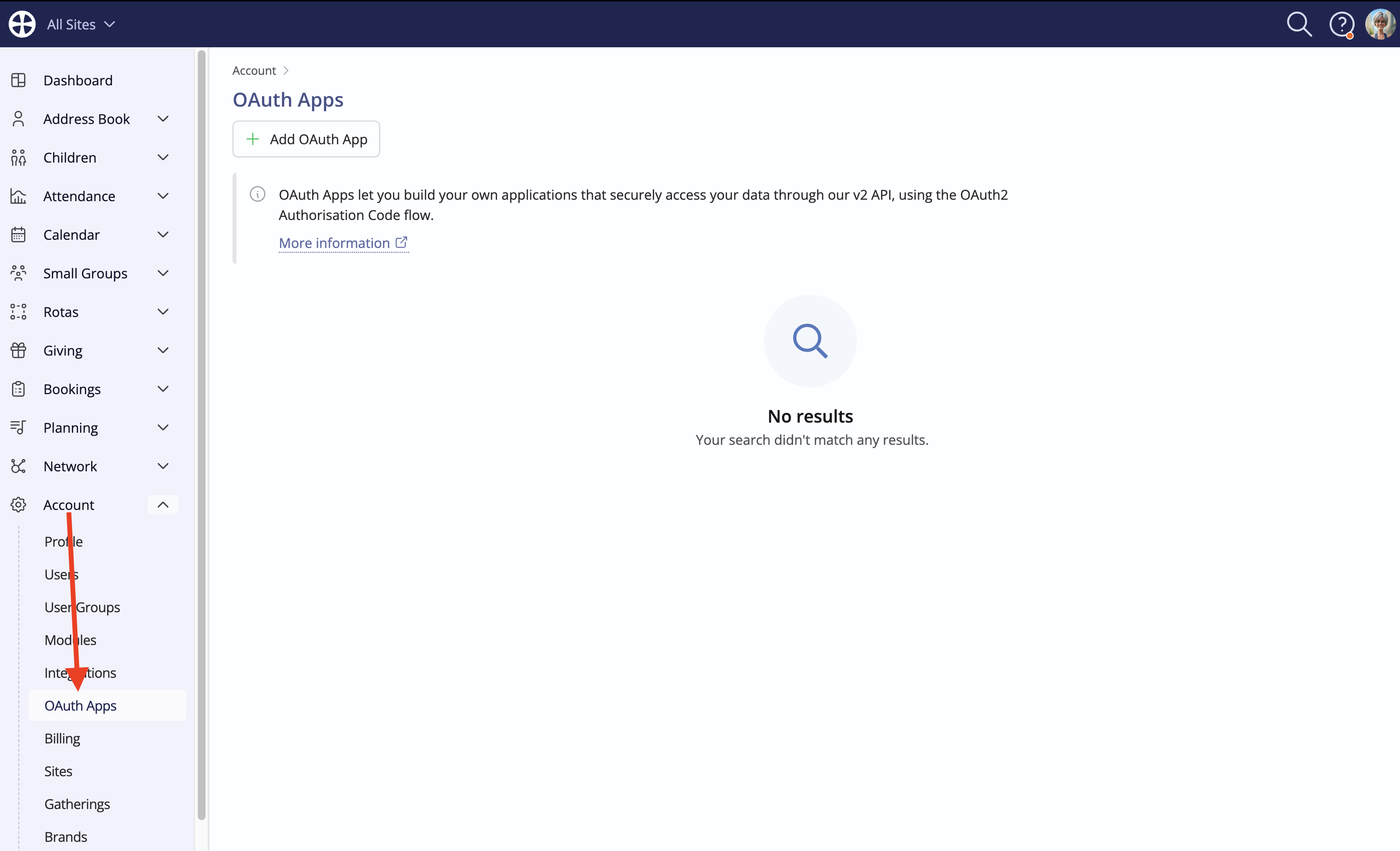
Users do not need API v2 enabled for their user profile in order to access the OAuth apps you have created - they can use their ChurchSuite log in details to access those apps via API v2. You first need to add those OAuth apps. Head to Account and select OAuth Apps:
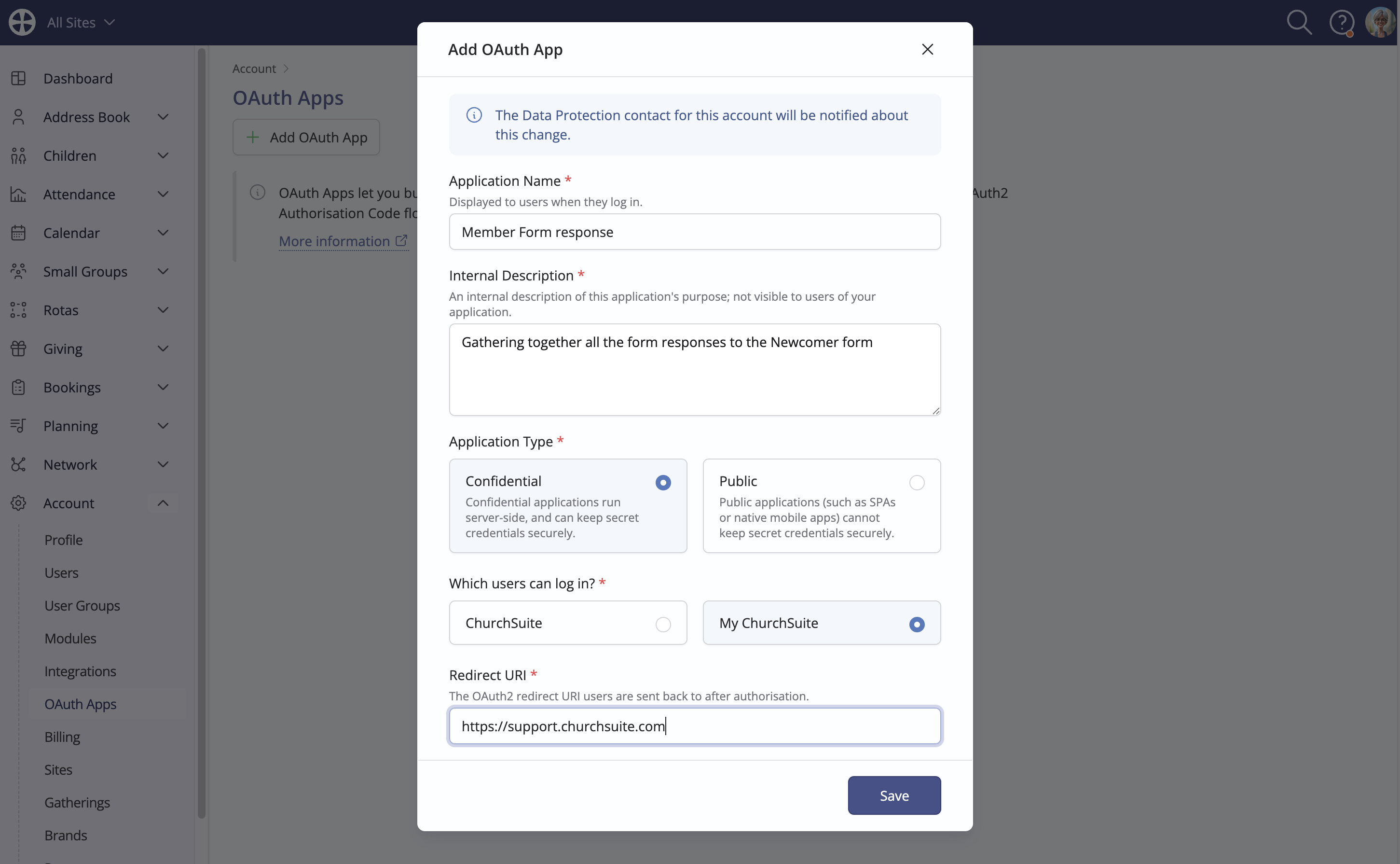
Complete the details in the pop-up, including a redirect URL to which the user will be sent once their credentials have been authorised. Note that the Data Protection contact will be notified of the change made:
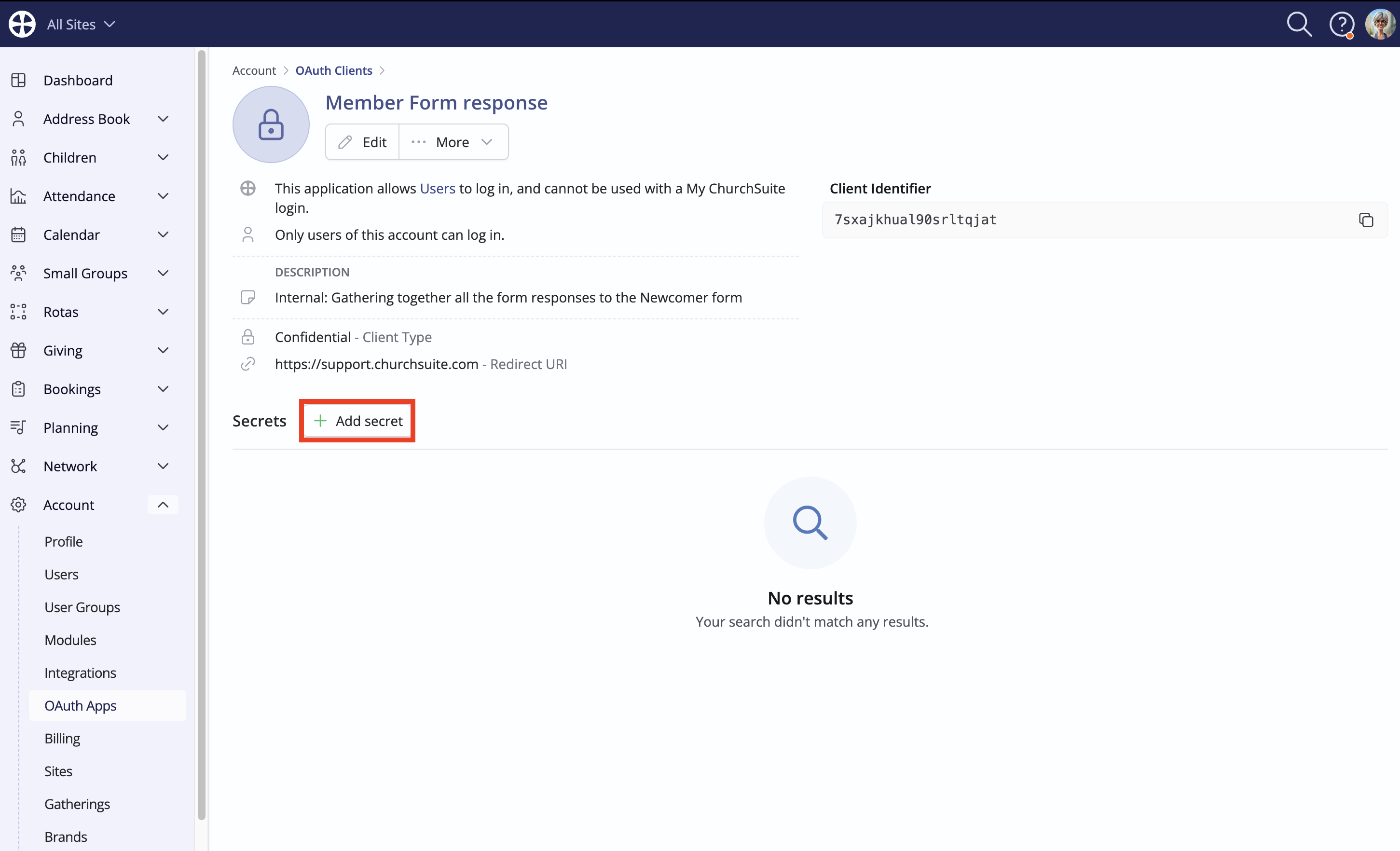
Once saved, the view page for the OAuth App is shown. From here, relevant secrets can be added, as described in the previous section:
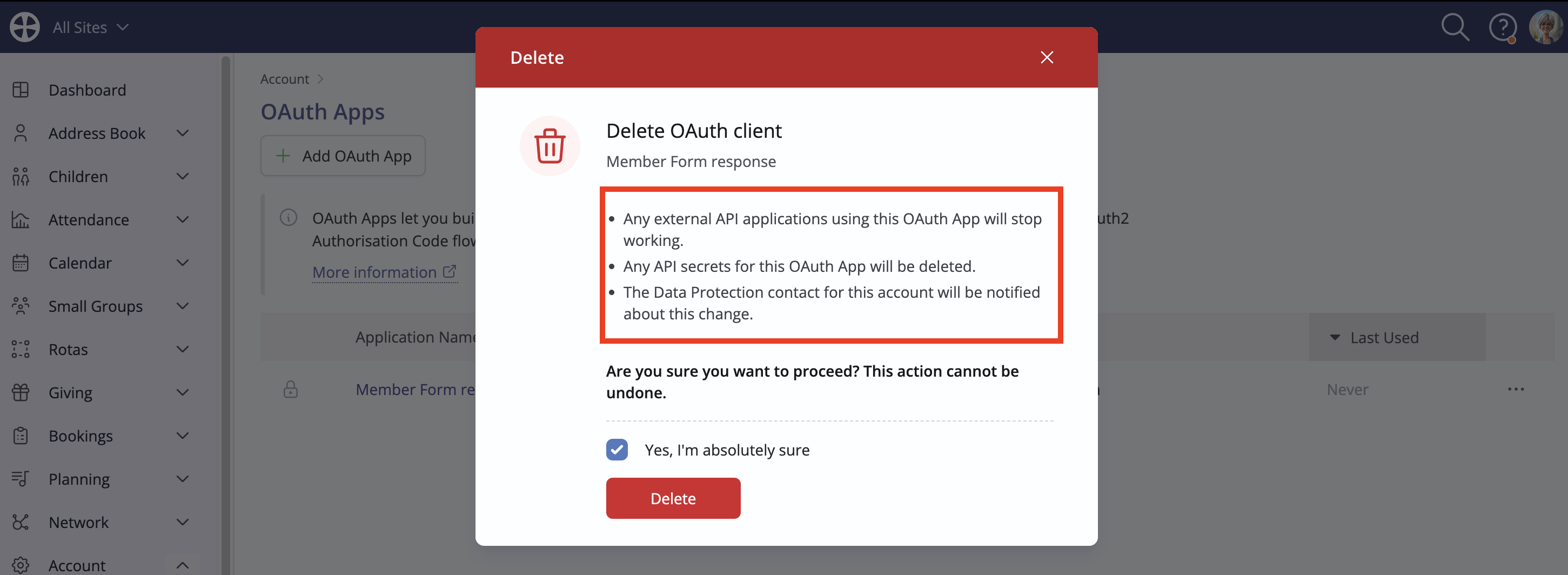
You can return to the OAuth Apps tab at any time to Edit or Delete the Application:
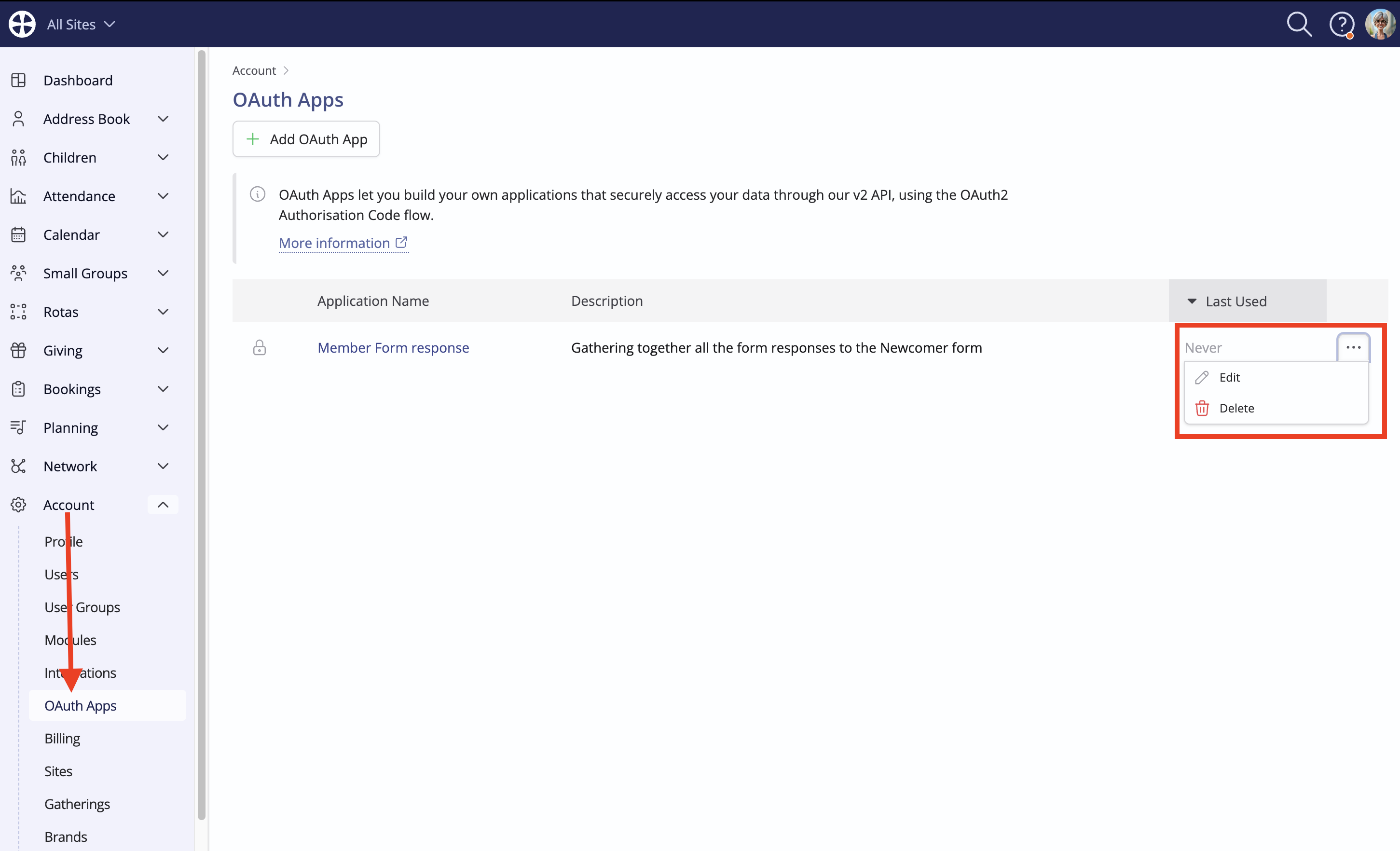
Note that Deletion is a destructive action. The pop-up messaging describes the consequences of the action. Delete with caution!
API v1
For some specific scenarios, API v1 may be of more interest than API v2. If that is the case, API v1 access can granted on request from the Account Contact named in your Account Settings. They should email their API access request to the ChurchSuite Support Team, providing brief details about the API application and the User Profile 'username' that has been added specifically for API v1 usage. That user profile should only have the "Use" or "Write" module and site permissions necessary for your API application to function.