
Managing Safe Ministry Checks (Australia)
In this article
Introduction
Application Process
Sharing access to training resources
Ensuring volunteers have up to date training/checks
Introduction
Churches and charities across Australia will need to conduct background checks for those working with children, particularly following the report from the Royal Commission. These might comprise of a number of different moving parts depending on your denomination and state.
In this article, we're going to explore how to leverage ChurchSuite to make the recruitment process simple and easy to manage. We'll explore how to set up an application process, give people access to the relevant training resources and set up checks to ensure everyone who is volunteering has the appropriate background checks in place. The suggestions in this article are generic and not specific to a particular denomination, so you should always check with your denominational HQ to ensure you meet your obligations to them.
Application Process
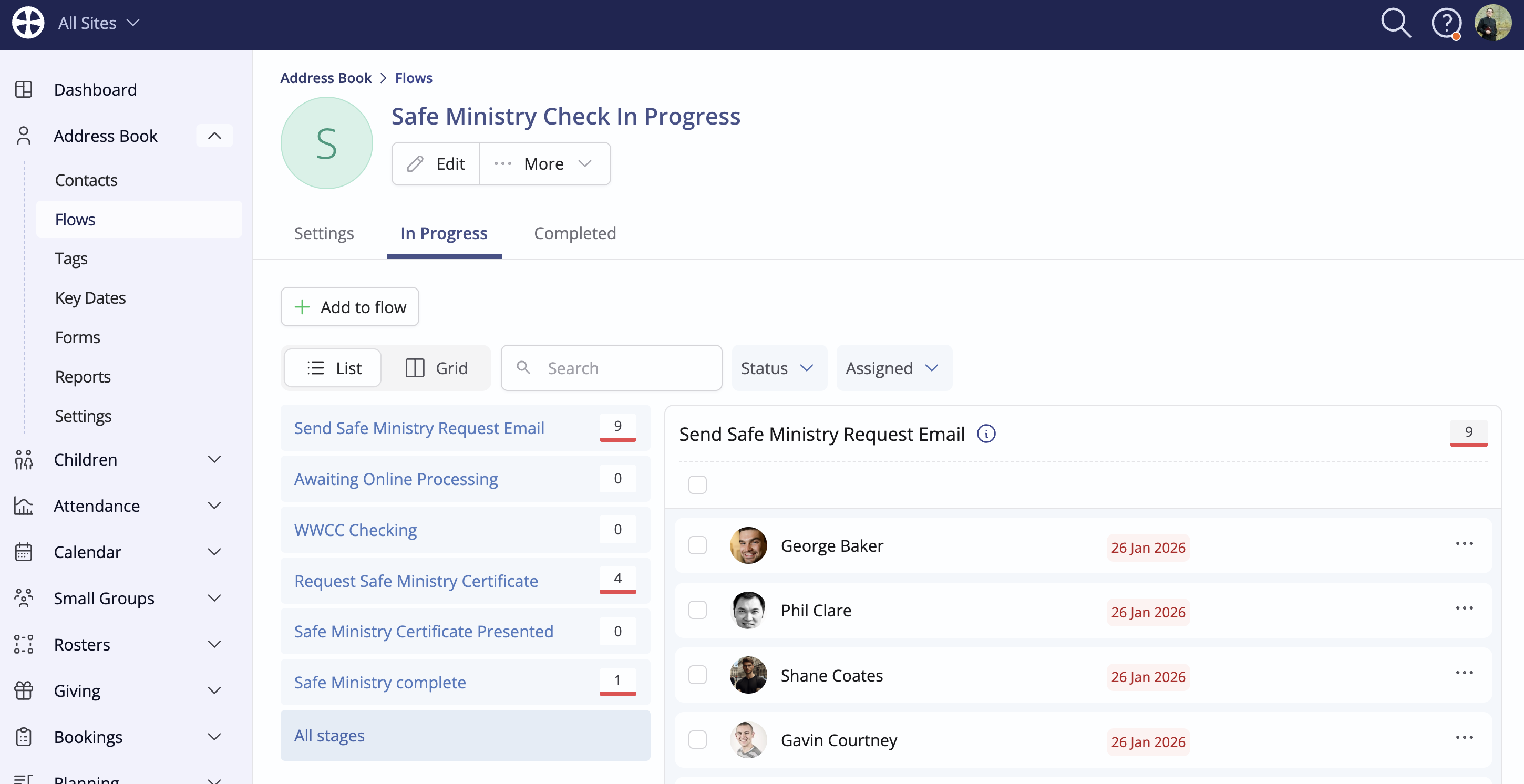
First, take some time to map out what your Safe Ministry process looks like. In the below example, it consists of completing an application form (often referred to as a Safe Ministry Check/Assessment), verifying a WWCC check, undertaking some Safe Ministry training and, finally, approval. Once you've defined your pathway, use a Flow to translate that into ChurchSuite. You're then able to track where people are at in the process, automate some of the stages that don't require human intervention and receive reminders for stages that do, ensuring that no person falls through the cracks. The Flow now works as the central place to manage your Safe Ministry applications:
Now, build out some of the other components that work alongside this flow and begin to integrate them into the process. First, create the Application (or Safe Ministry Check) using a Form, employing the available fields to collect all the data you need.
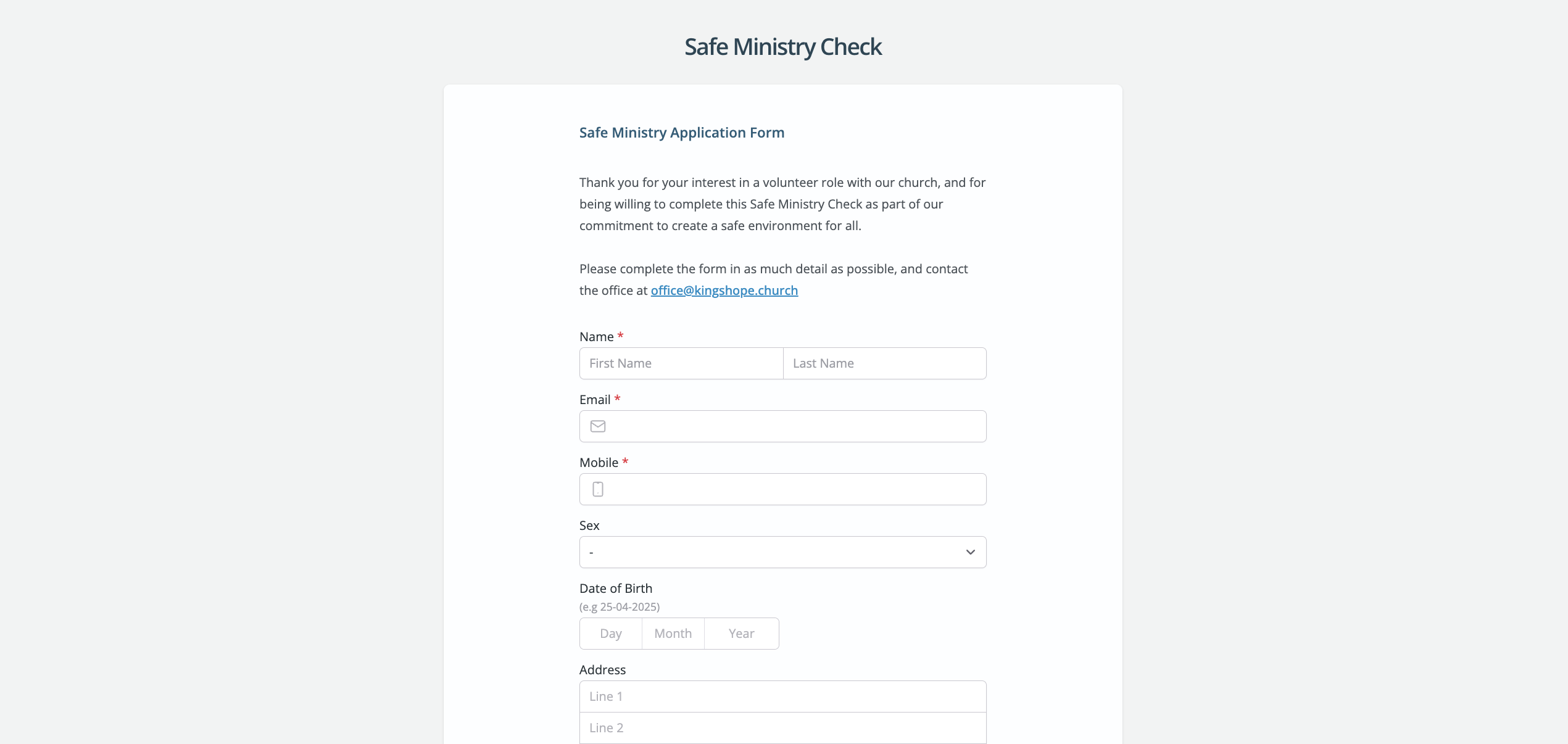
You might utilise Forms for other parts of this process too - for example, if you have a 'Safe Ministry Policy' or 'Code of Conduct' that applicants need to agree to, you could use a text field in your form detailing the policy and a digital signature field to confirm the person agrees to abide by it.
Top Tip! Flow & Form automation...
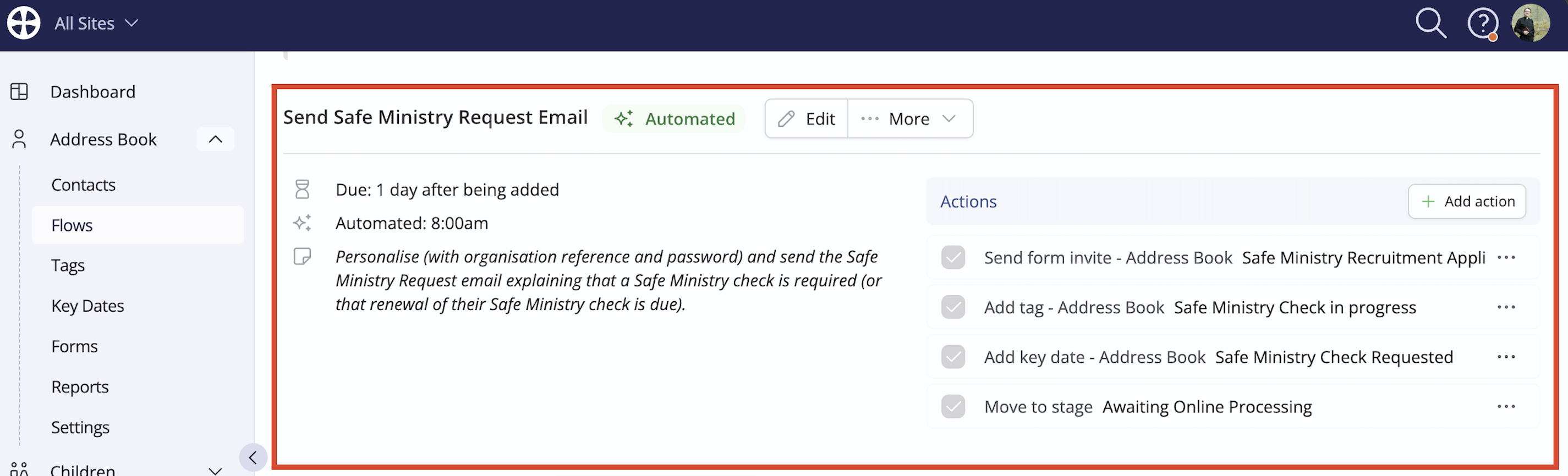
You're able to automate stages of the process where a form is required. In those stages of your Flow, you're able to set an automated action to send an invitation to the applicant - then, when the person becomes due, they'll receive a form invitation with no human involvement. The added benefit here is that using Smart Links, the applicant won't need to fill out any of the data you already hold for them - when they click Go to Form in the invitation, their data can be pre populated for them.
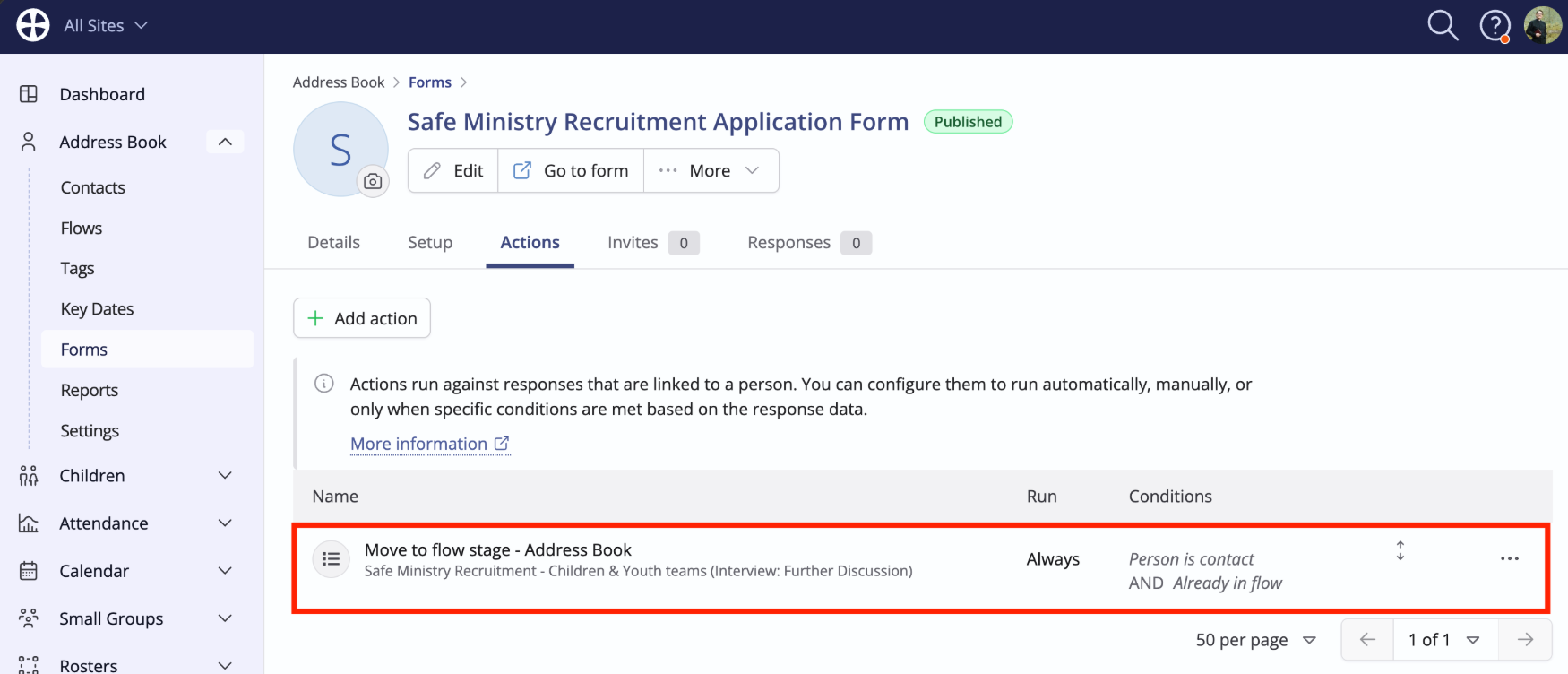
Similarly, when they've filled out the form, you're able to use a Form Action to automatically move them on in your flow:
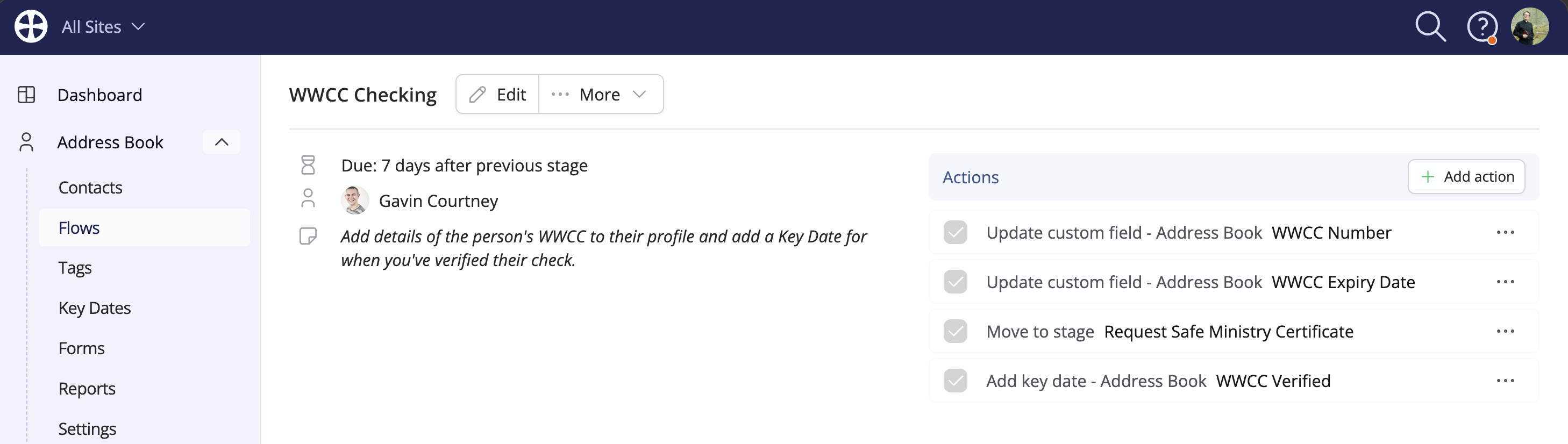
You'll also need to set up some Custom Fields and Key Dates for managing WWCCs and relevant Safe Ministry Training (see related article) - you're then able to use your Safe Ministry flow to add those details to the contact's profile through a Flow Action, without having to navigate away from where you're working:
Sharing access to training resources
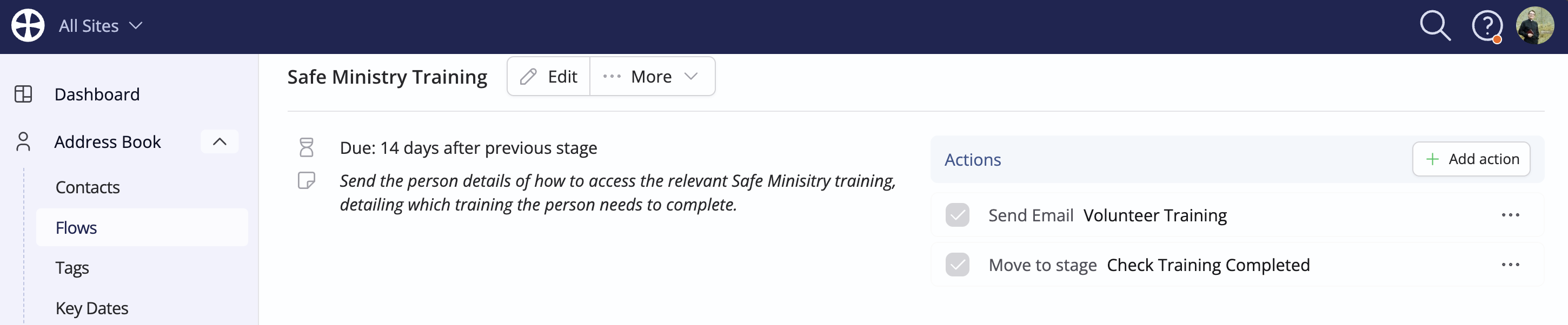
When an applicant reaches the relevant stage, use a Preset email, containing instructions on how to access training materials, which you can send using a Flow action at the relevant stage.
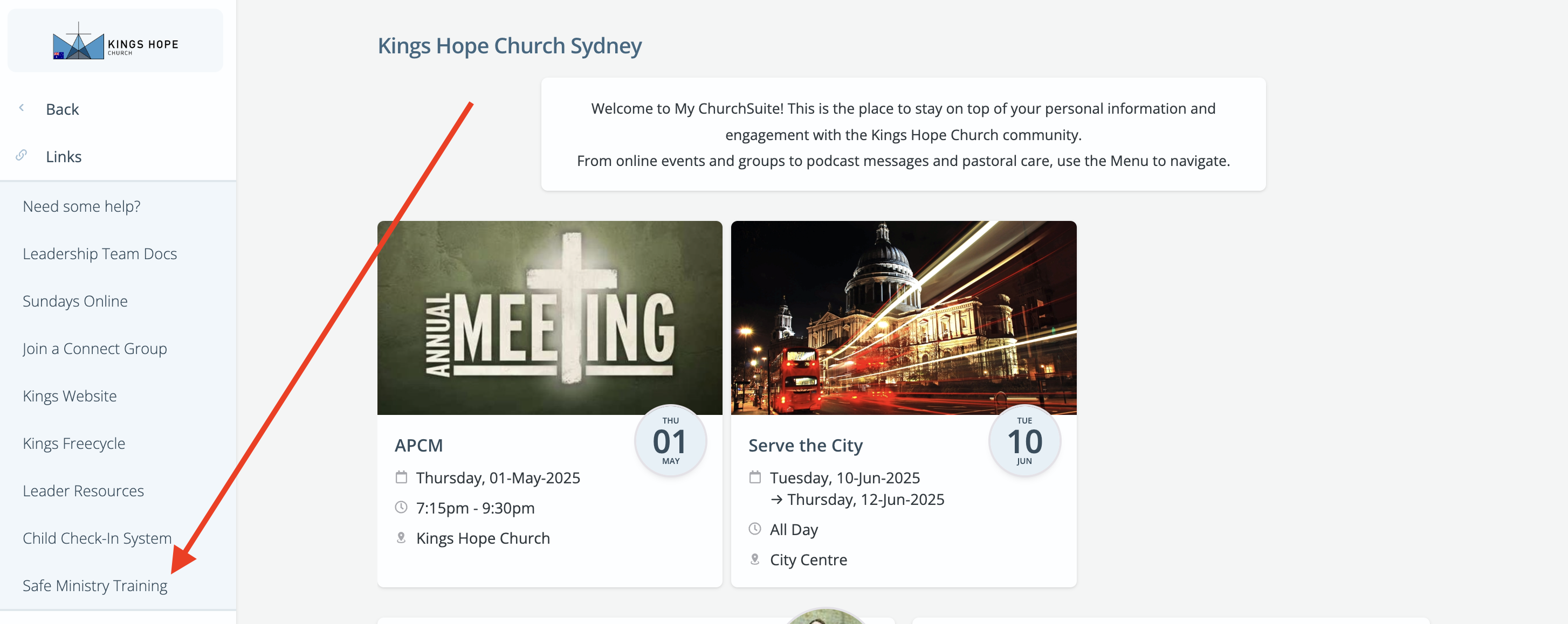
It might be that your church has produced some bespoke training resources or perhaps your denomination has centralised Safe Ministry training. Either way, you can provide easy access to the relevant people through the My ChurchSuite menu. Generate a URL to the relevant page, then add a link in the My ChurchSuite menu, perhaps even restricted to a particular smart tag of people who need to access it. This is also a great way to provide ongoing access to those resources for individuals after their checks are complete and as they continue to volunteer with your church. You might also include links to relevant Safe Ministry policies or a Code of Conduct there too.
Ensuring volunteers have up to date training/checks
We've produced a related article on managing WWCC renewals (the same principles in that article can be applied to Safe Ministry training too); in addition, you may consider setting up a Smart Tag to bring all your Safe Ministry data together and ensure that everyone serving in relevant roles has all the relevant checks and training to volunteer safely, as well as highlighting anyone who doesn't so you can take immediate action in line with your policy.
Using all the data you have gathered, including information from the Rosters module, you will be able to set up a tag, perhaps like the below example::
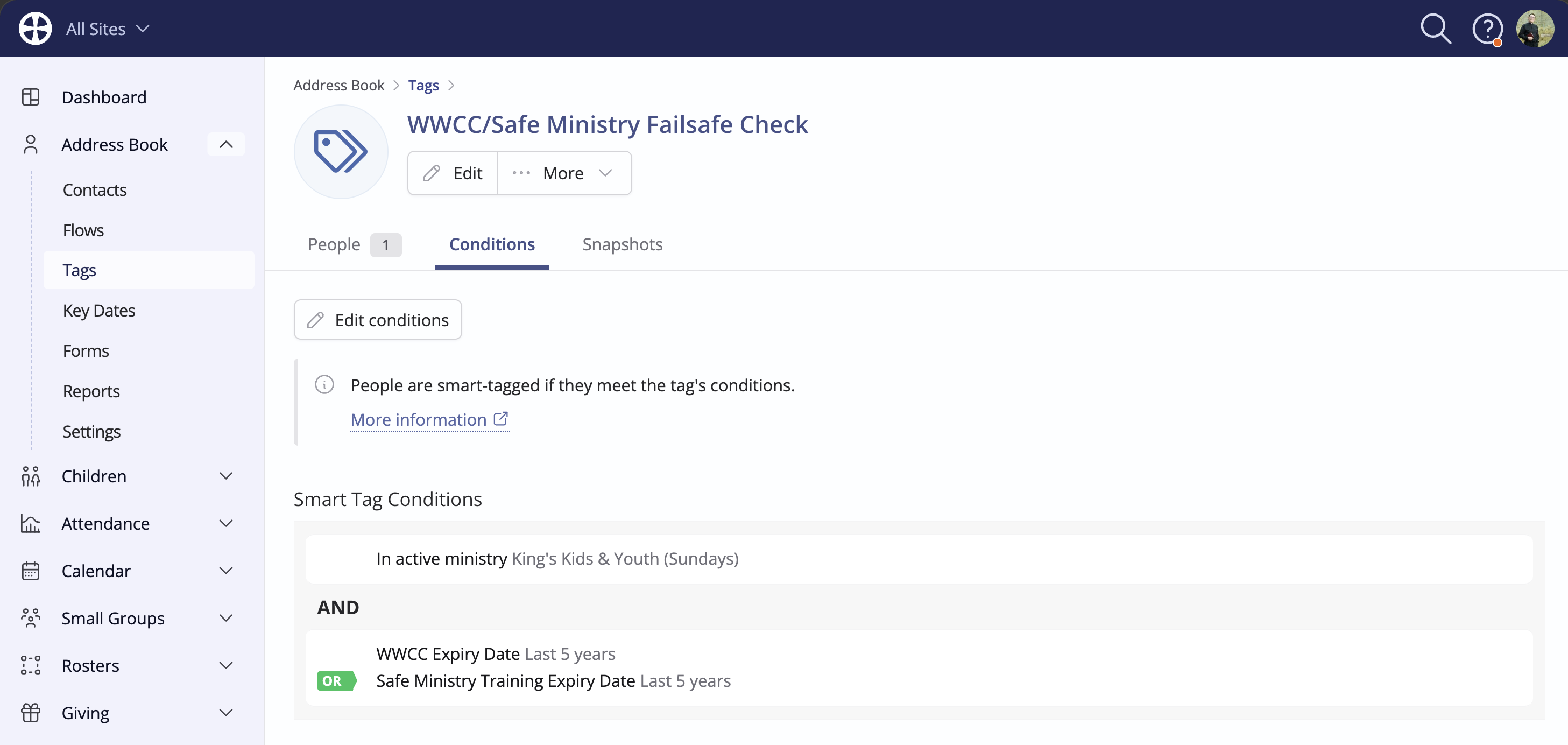
This tag is finding anyone who is serving in a role requiring a WWCC check or Safe Ministry Training and checking whether their expiry date is in the past (these expiry dates would be updated each time the check/training is renewed, so should always be in the future). This tag then acts as a final check of all the data you hold to ensure everyone in those roles has all the necessary training. You could perhaps set a weekly task in your own to-do list to check this tag. In theory, it should always have 0 people in it.