Organising events using labels
In this article
Introduction
Labels work alongside event Categories, giving you an additional way to organise and filter events. An event can belong to a single category, but it can have multiple labels. There's no limit to the number of labels you can add or the number of response options each Label can have.
Managing labels
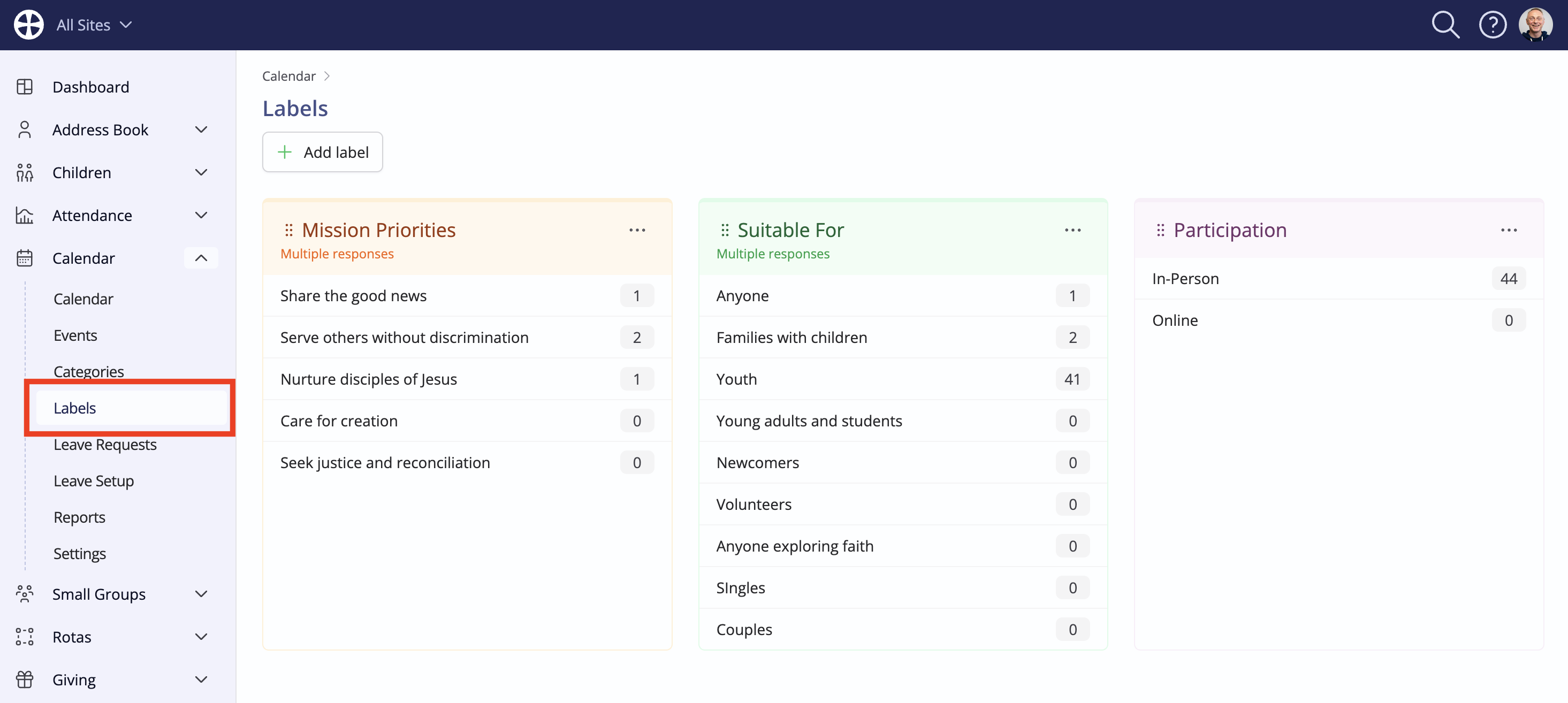
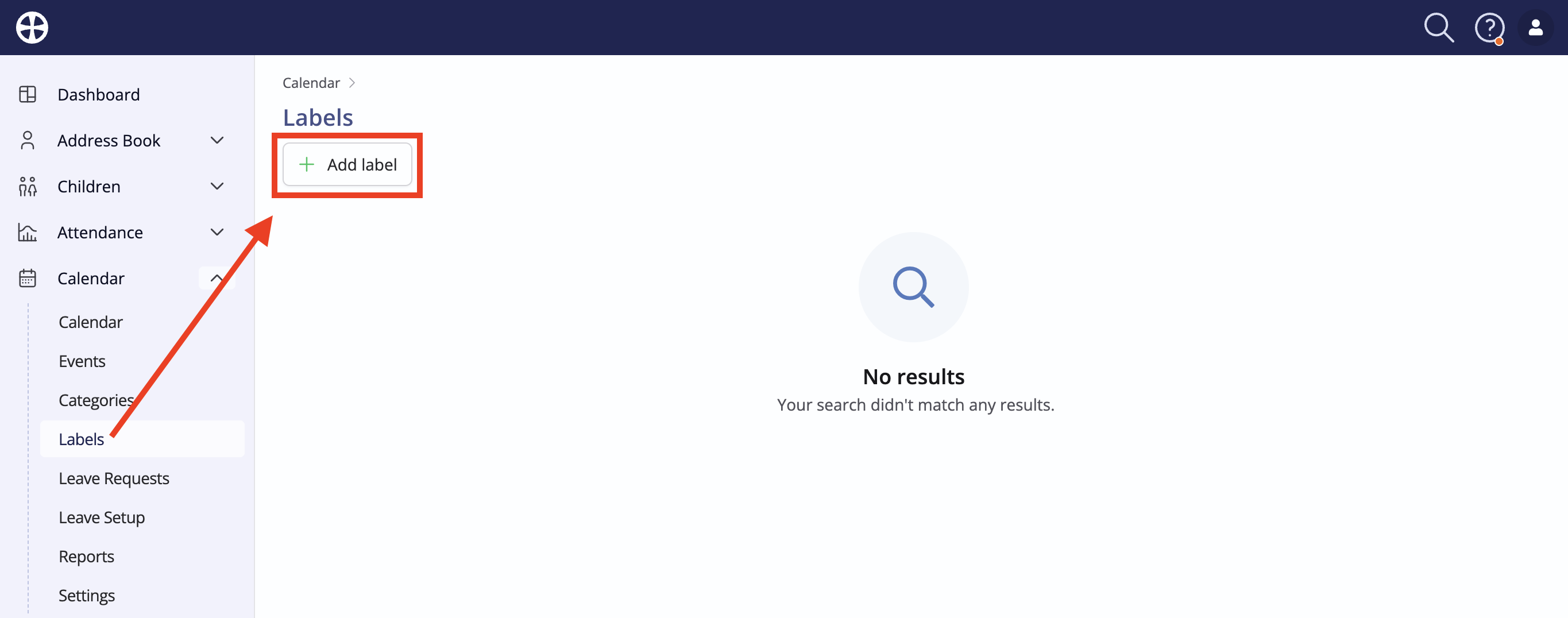
Working in the Labels section of the Calendar module, click Add Label.
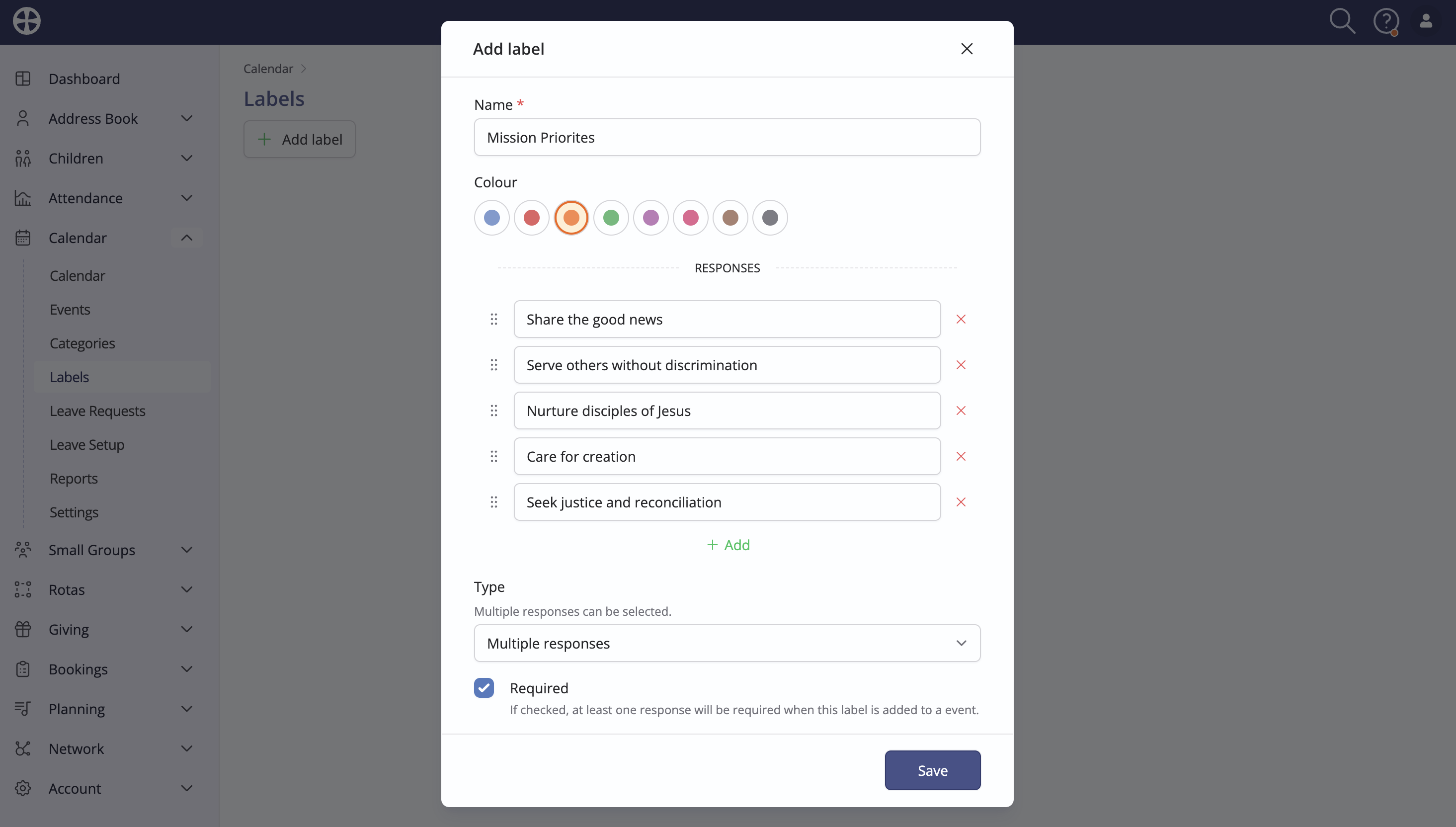
On the Add label pop-up, enter a suitable Name and choose a Colour. Next, add Responses as appropriate. Use the drag handles to change the order of responses. The Label Type determines whether a Single response or Multiple responses can be assigned to an event. You can also tick to make a response Required when adding or editing an event. Click Save to add the Label.
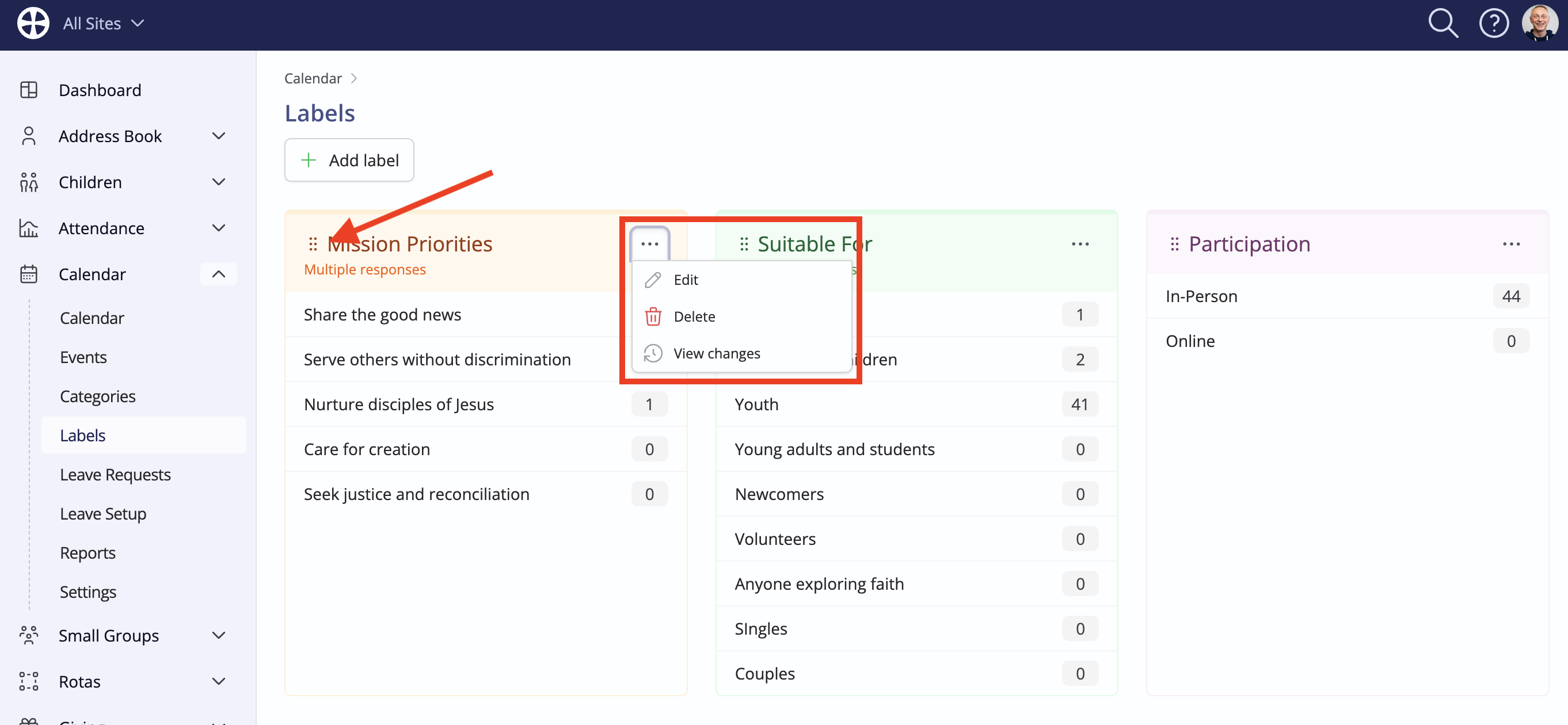
Continue adding other Labels as needed. Note the label actions to Edit, Delete and View changes and the drag handles to change the Order that Labels are shown when managing and filtering events. Clicking on a response counter opens a filtered list of future-dated events with that response. Deleting a label will remove it from all past and future events.
Working with labels
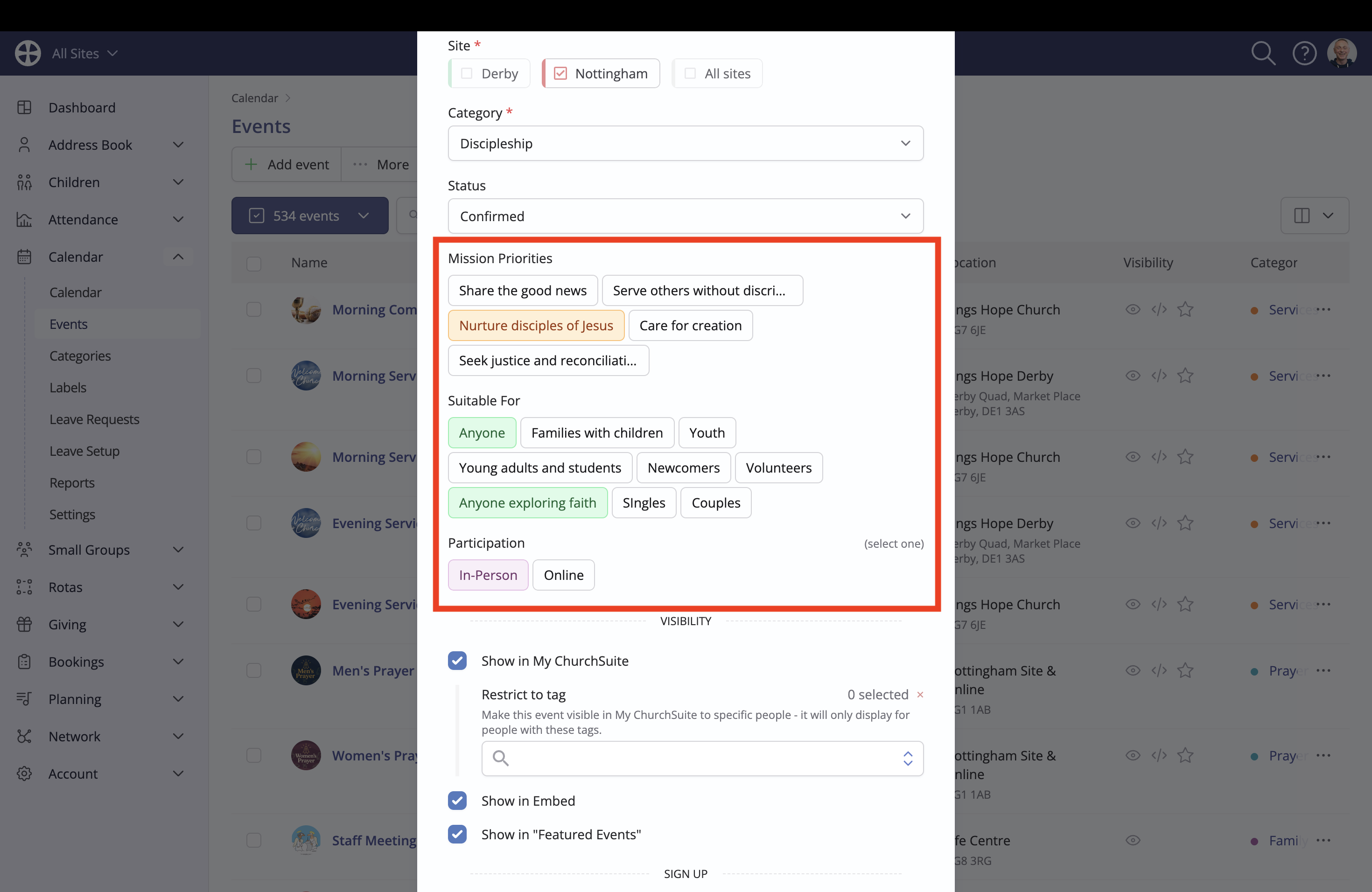
Labels can be assigned when adding or editing an event - illustrated here on the Add event pop-up. See the related article for further information on Adding events.
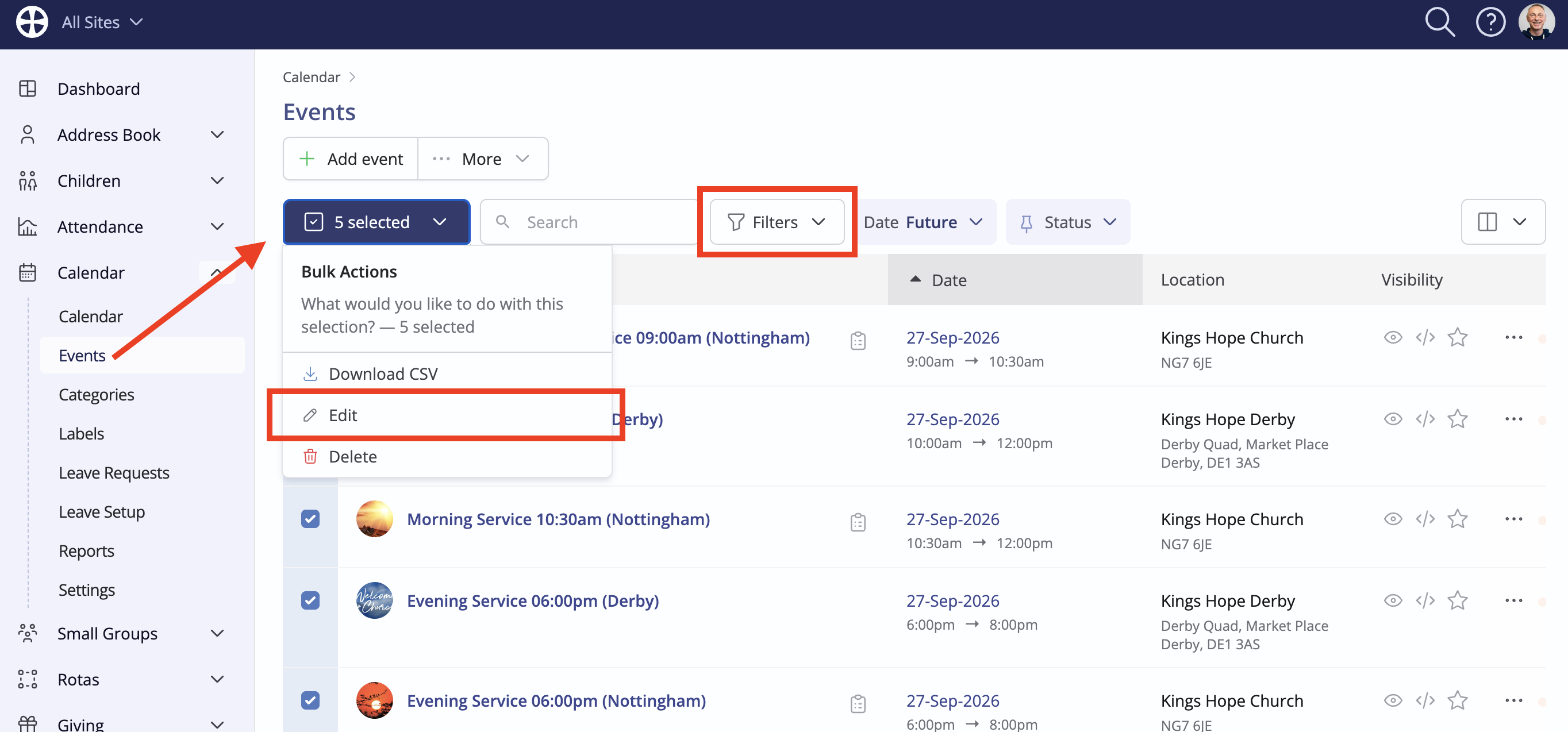
You can also bulk assign Labels to multiple selected existing Events. Optionally apply Filters and select Edit from the Bulk Actions...
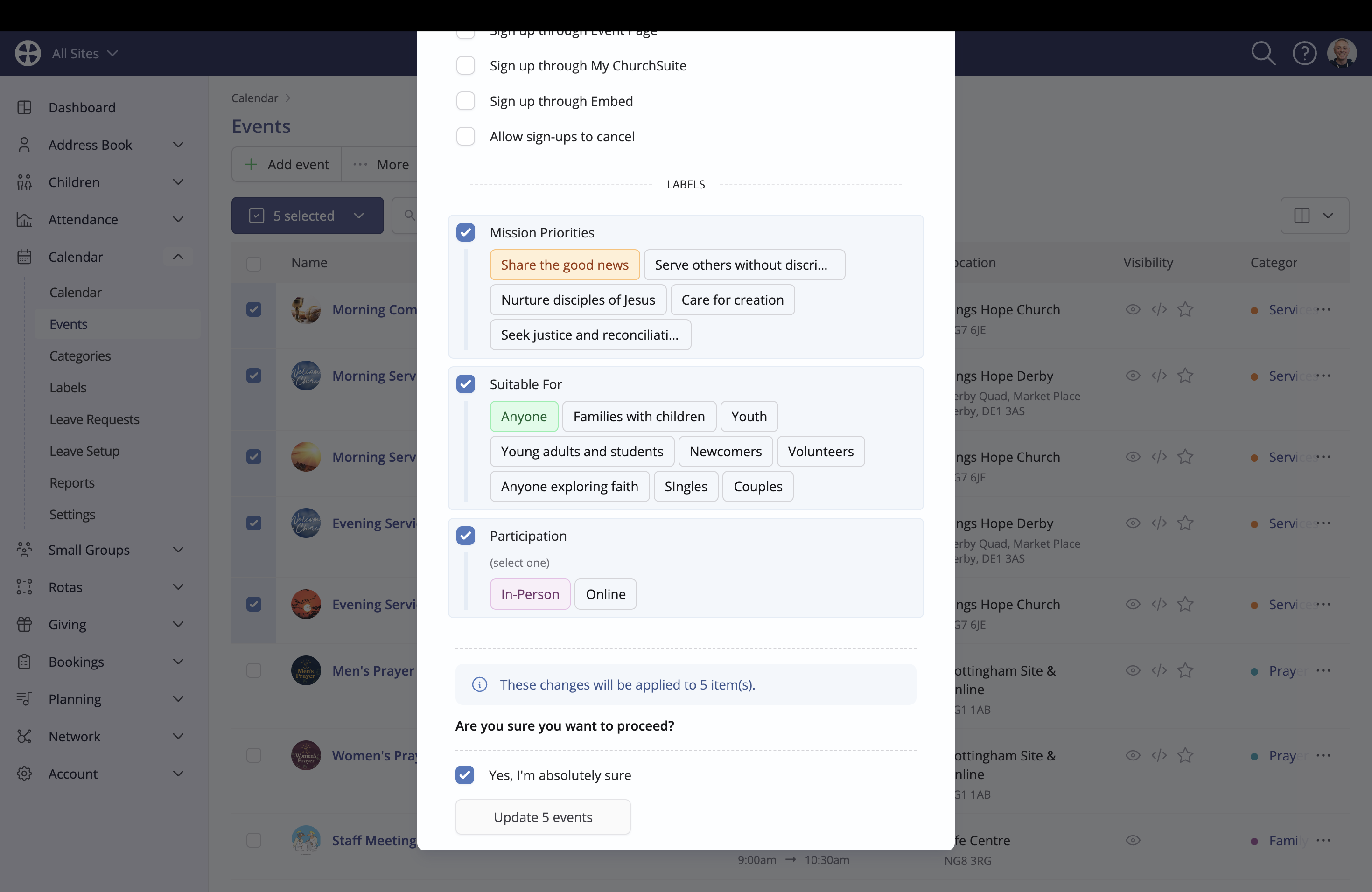
On the Bulk Edit pop-up, tick the appropriate Labels and responses to be assigned to the selected events:
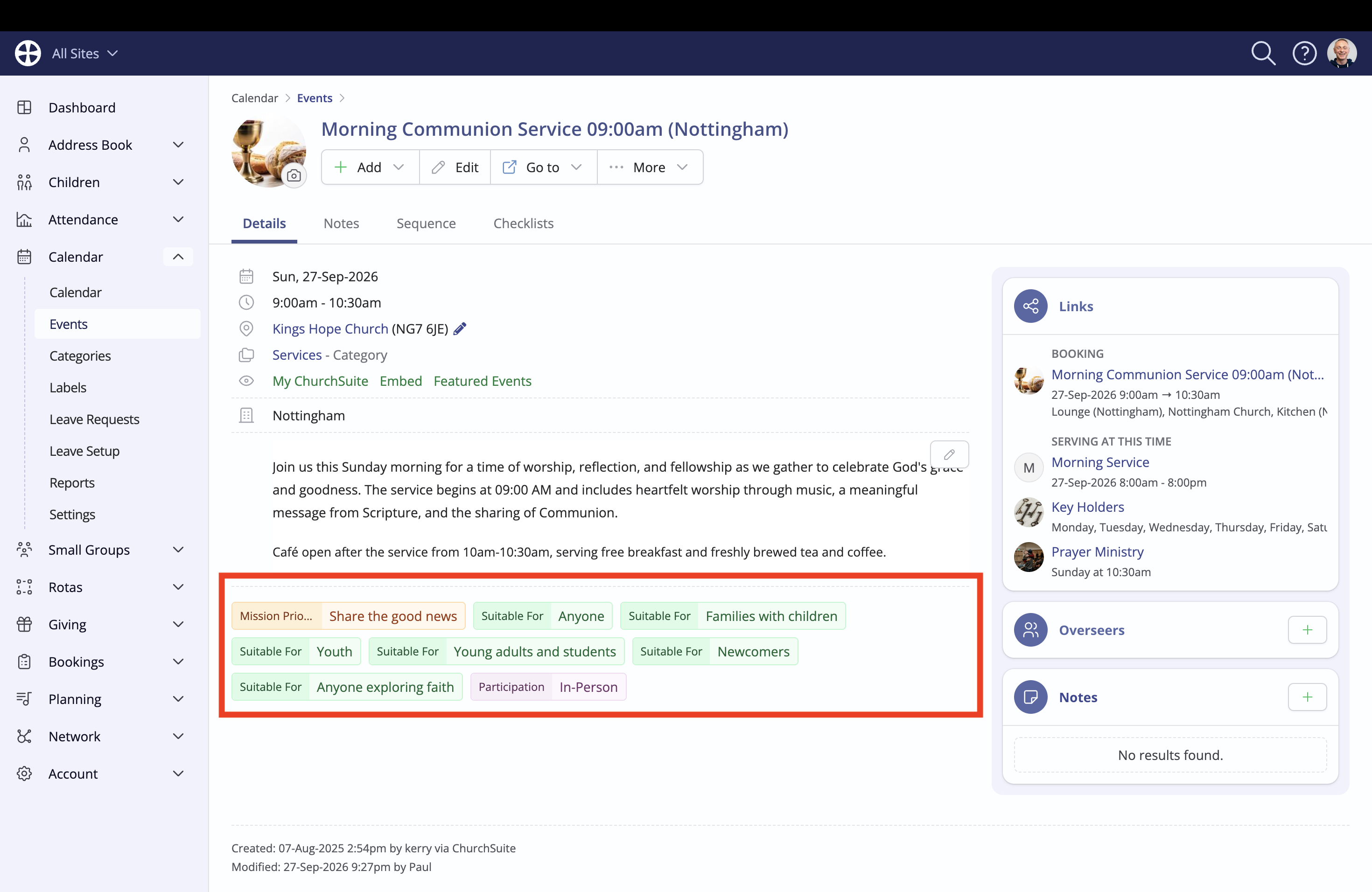
Assigned Labels are shown on an event View page on the Details tab:
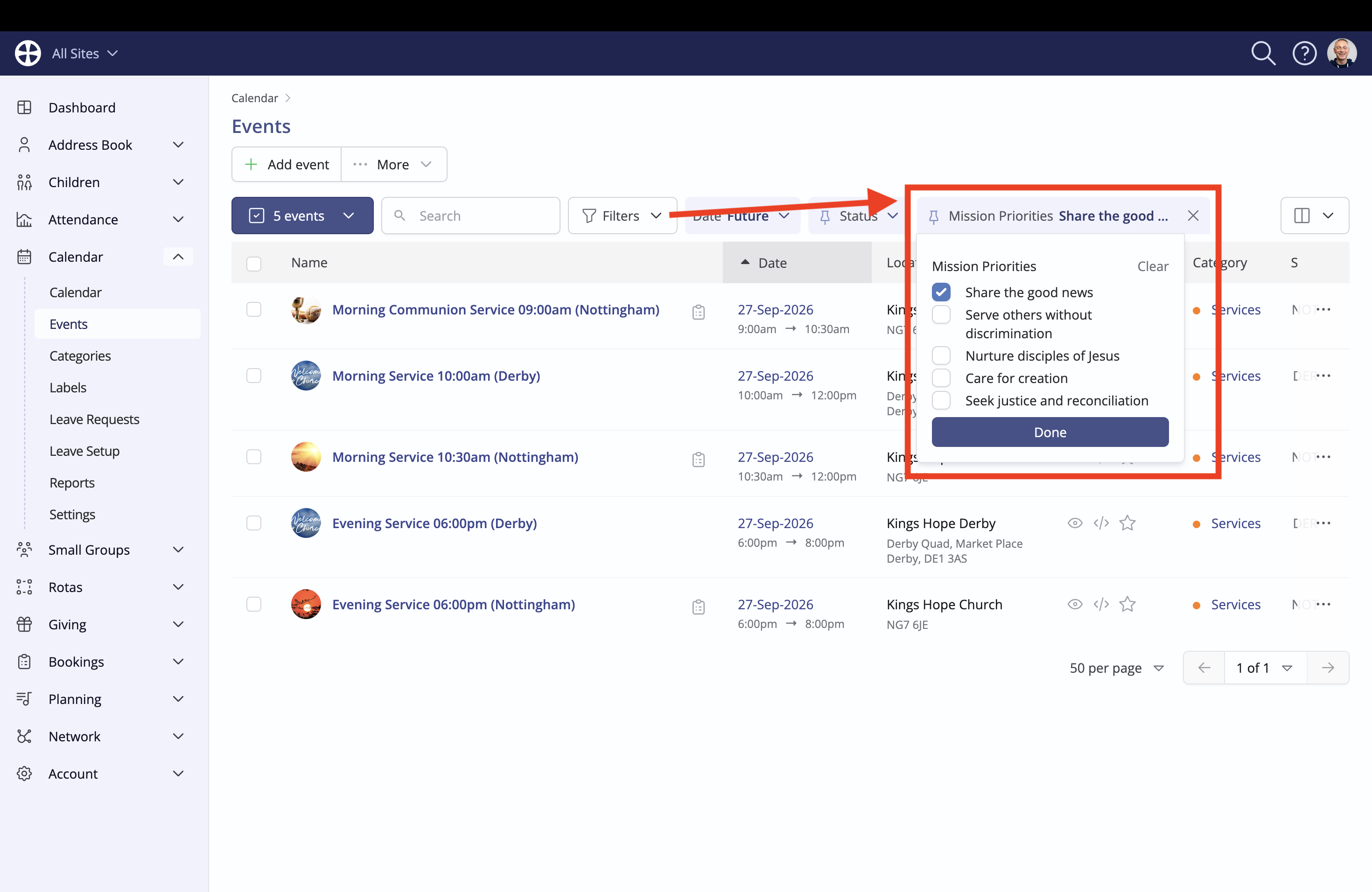
Labels can be used as Filters in the Events and Calendar sections of the module, enabling you to find events matching selected Label responses and other criteria:
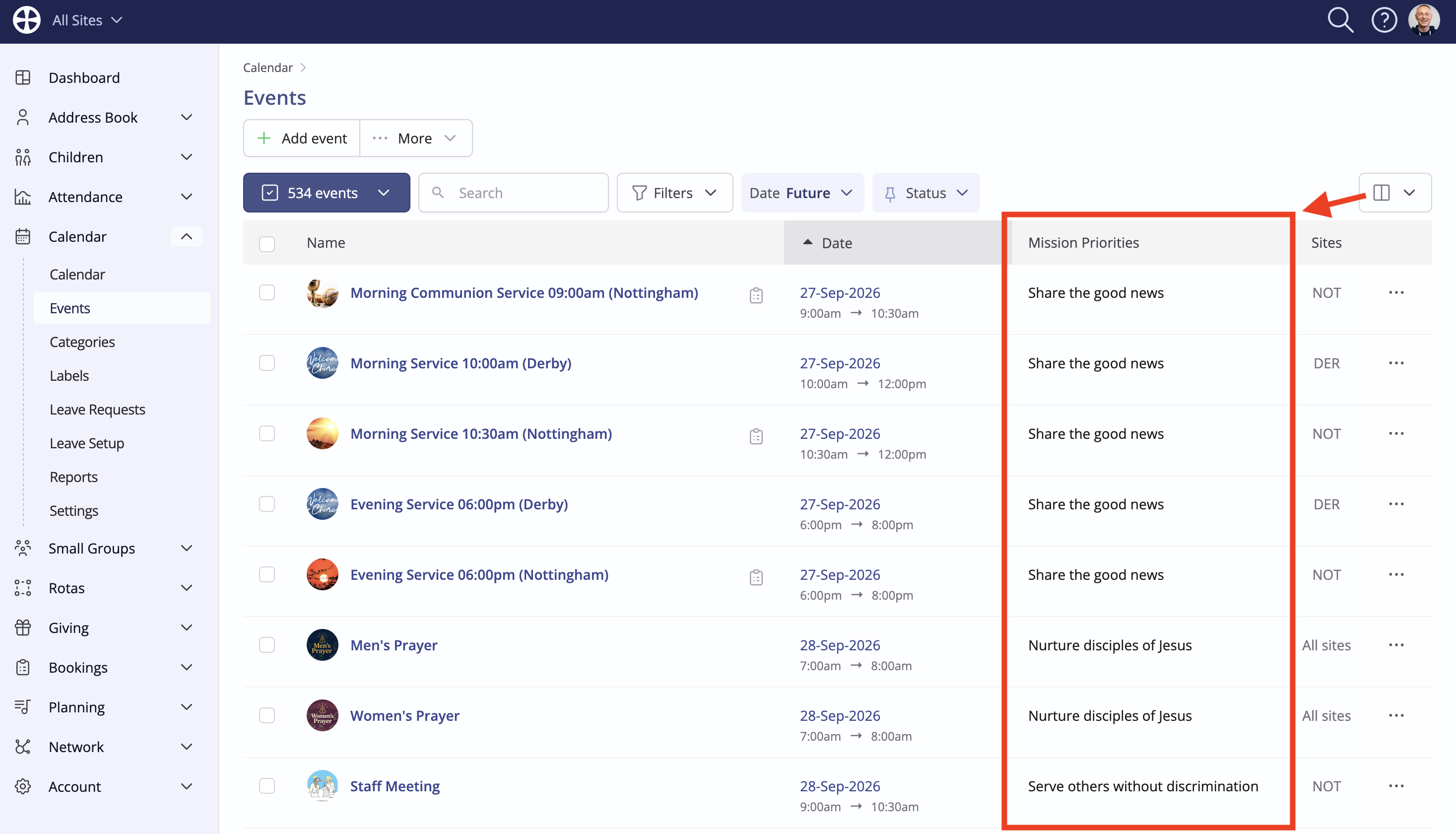
And there is a useful Display Option available to show Labels as a column in the Events section:
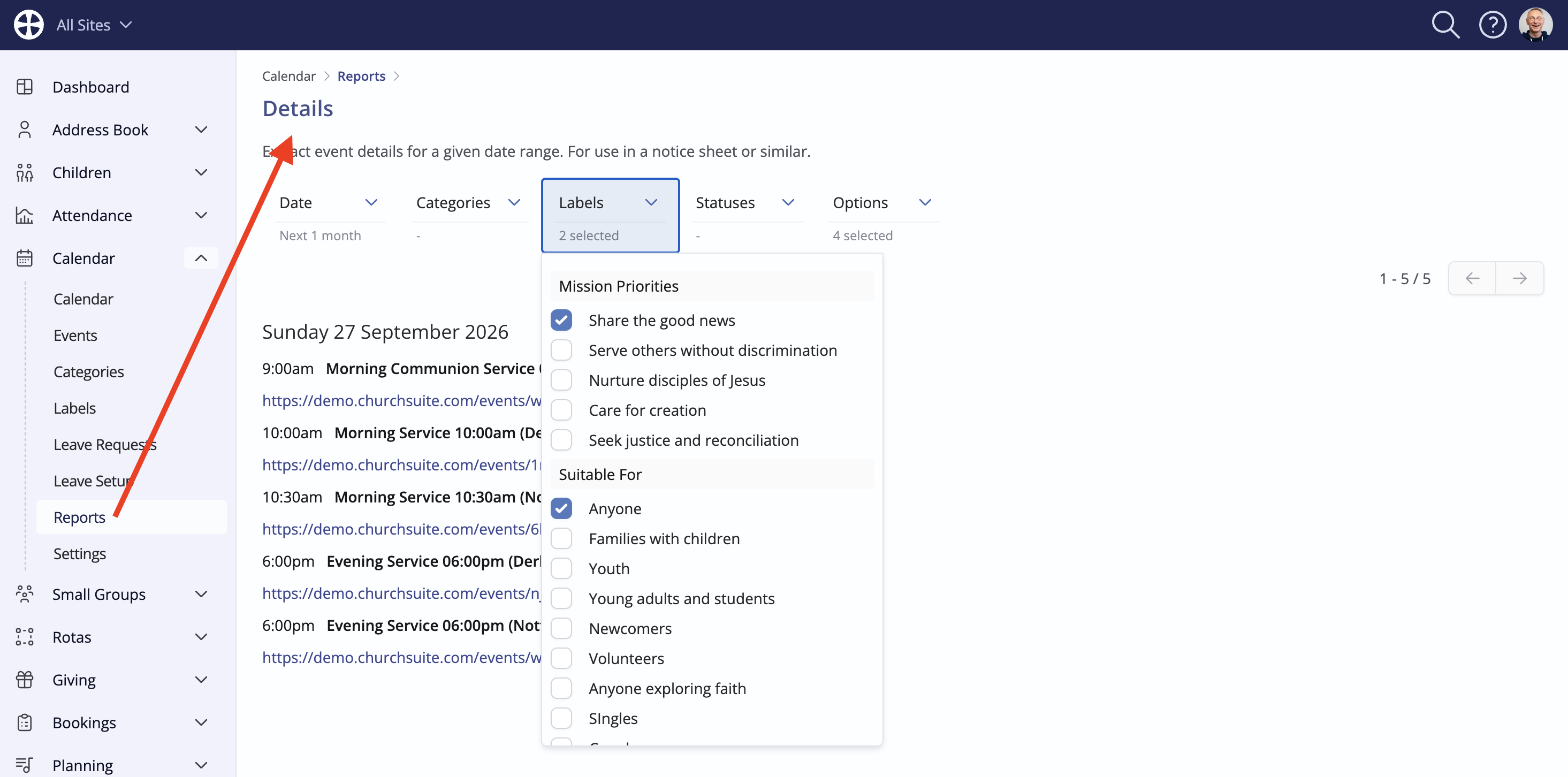
Additionally, Calendar module Reports can be further filtered by selected Label responses.
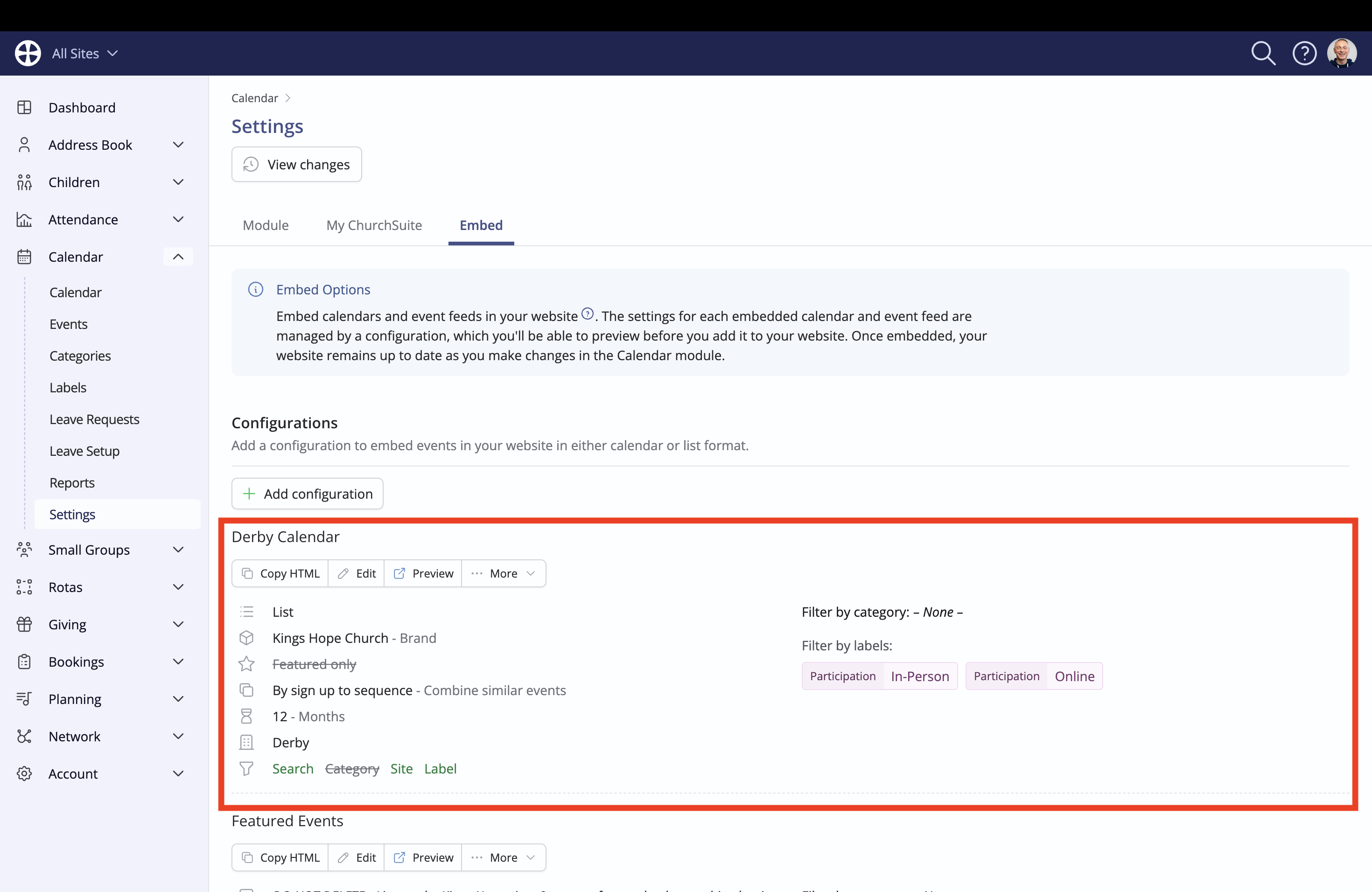
In addition to helping Users organise and filter events in the Calendar module, Labels can be used to help website visitors filter and find events of interest on your website. See the related support article for instructions on how to Embed calendars and events into your website.